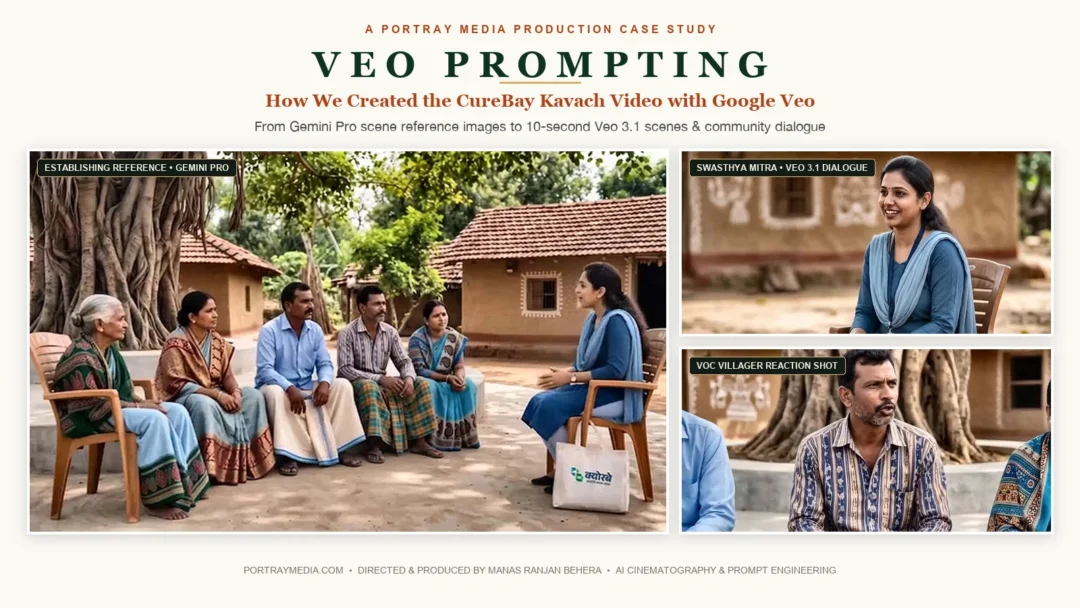
How We Created the CureBay Kavach Video with Google Veo
Mastering Veo prompting requires moving beyond one-line creative ideas and treating AI video generation as a controlled production pipeline. In this detailed case study on Veo prompting, we break down how our creative team at PortrayMedia produced the CureBay Kavach video—from reference image generation in Google Gemini to 10-second scene animation in Google Veo, dialogue synchronization, and post-production editing.
Watch the CureBay Kavach Video
Before getting into the production workflow, watch the finished CureBay Kavach video to see how the group setting, dialogue, character continuity and scene-by-scene approach came together.
The Veo Prompting Workflow: Built Scene by Scene
Creating the CureBay Kavach video was not about writing one giant cinematic prompt and hoping everything worked.
Our creative team constructed the production scene by scene.
Initially, we developed the visual foundation in Google Gemini Pro. Specifically, these scenes showed a group of people gathered together under a large banyan tree, with the Swasthya Mitra interacting naturally with the group. Those reference images established the people, clothing, environment, seating arrangement and overall composition before motion was introduced.
The scenes were then animated in Google Veo 3.1.
For this production, our Veo prompting workflow required generating each scene within a maximum 10-second window, so the longer conversation was divided into separate scenes and later assembled during editing.
Reference image → 10-second scene → dialogue → performance → disciplined Veo prompting → final edit.
That limitation shaped the production workflow. Instead of trying to make every scene do too much, each generation was treated as a small production unit.
The Production Started With the Group Scene
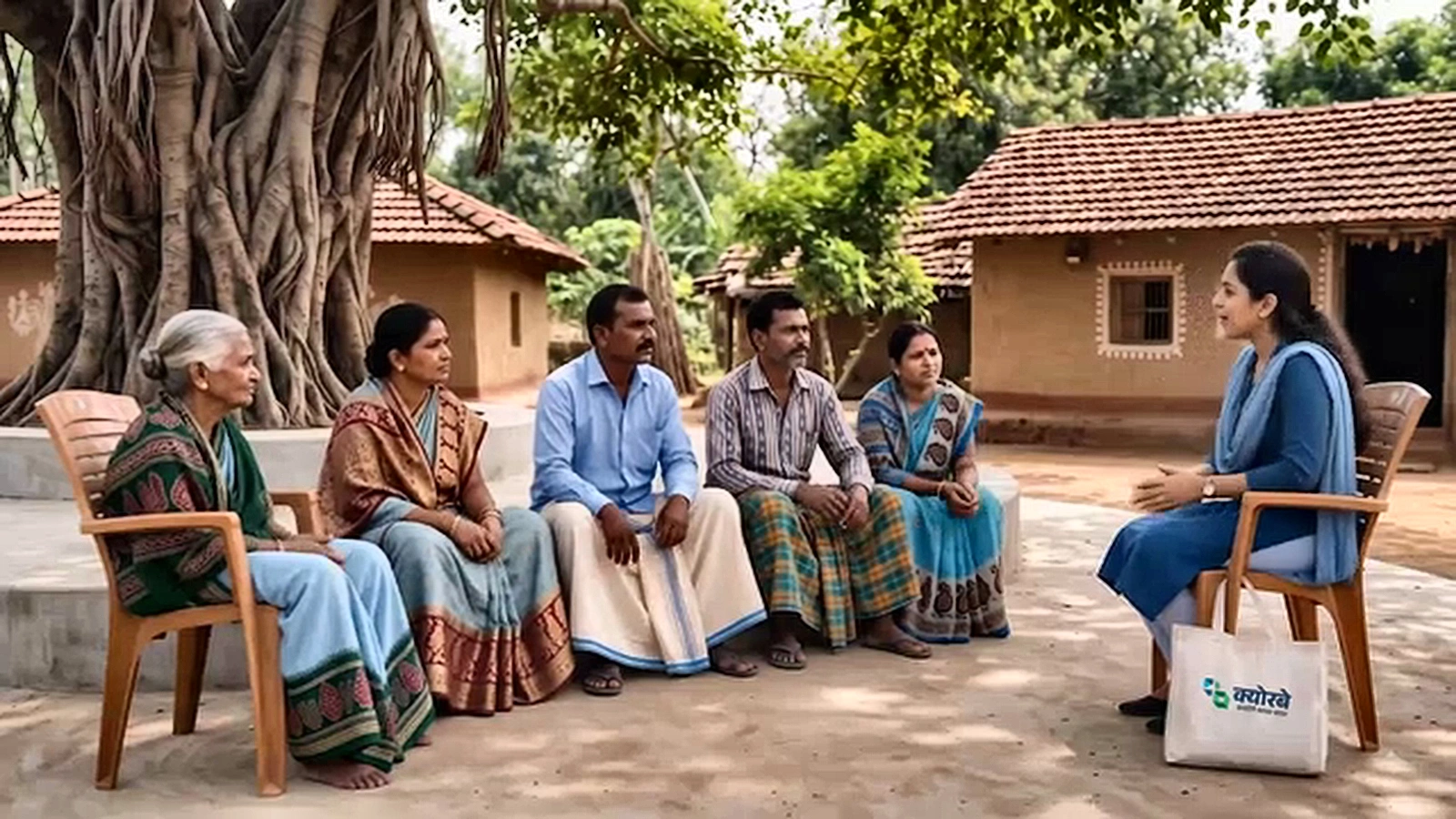
The CureBay Kavach conversation was designed around a large banyan tree with a group of people gathered underneath it.
This was important because the advertisement was not designed as a conventional two-person interview.
The Swasthya Mitra was part of a community setting.
The surrounding people created the feeling of a real local conversation rather than a staged studio advertisement.
The environment was intended to feel like a believable village or small-town setting, with details such as a banyan tree, local surroundings and everyday community elements.
Stage One: Creating the Reference Scene in Gemini Pro
Before animation, the group scene was established as a still image.
The reference image needed to establish much more than one character.
- The Swasthya Mitra
- The group of villagers/community members
- Their seating positions
- The large banyan tree
- Clothing
- Background
- Lighting
- Camera composition
- Relative positions of the people
- Overall atmosphere
This gave Veo a concrete visual reference.
Instead of asking the model to invent the whole scene while simultaneously generating movement and dialogue, the visual arrangement was established first.
The reference-image stage therefore became the continuity foundation for the later video scenes.
Why the Group Setting Matters
A group scene creates a different continuity problem from a simple two-person conversation.
There are multiple people to preserve.
- A person who was sitting on the left in the reference should not suddenly appear somewhere else.
- Someone in the background should not disappear.
- Clothing should not randomly change.
- The banyan tree and surrounding environment should remain recognisable.
- The Swasthya Mitra should continue to belong naturally within the group.
The group is not background decoration. It is part of the continuity system.
That is why the prompts repeatedly focused on preserving the uploaded image rather than redesigning the scene.
Stage Two: Veo Prompting for 10-Second Scene Generations
The CureBay Kavach script was longer than a single scene.
Since each Veo scene in this production was generated within a maximum 10-second window, the conversation was divided into smaller scenes.
The division was based on natural dialogue beats.
- First, the Swasthya Mitra introduces herself to the village group.
- Next, she introduces the core CureBay Kavach program.
- Then, she clearly explains the ₹499 annual healthcare benefit.
- Afterward, a VOC reacts with genuine curiosity and asks how the offer works.
- Finally, the Swasthya Mitra asks the group about their primary concern when someone becomes unwell.
The later sections continue through the other CureBay Kavach benefits.
The 10-Second Scene Strategy in Veo Prompting
The 10-second window encouraged a very practical way of writing prompts.
Each scene needed one clear communication purpose.
| Scene Function | Purpose |
|---|---|
| Introduction | Establish the speaker and setting |
| Question | Create a natural conversational beat |
| Answer | Deliver one clear benefit |
| Reaction | Show audience curiosity or response |
| Product Explanation | Communicate one specific feature |
| Emotional Beat | Keep the interaction human and believable |
Instead of asking a character to perform several actions, the prompt could concentrate on the dialogue and a small amount of natural movement.
How the Veo Prompting Formula Became a Production Specification
A generic prompt might say:
“Create a cinematic rural healthcare advertisement with a friendly health worker talking to villagers under a banyan tree.”
That describes the concept, but it leaves too many decisions open.
- Who moves?
- Who speaks?
- Where does the speaker look?
- Does the camera move?
- Do the background people move?
- What happens after the dialogue?
A production prompt needs to control those details.
The Most Important Prompt Rule: Freeze the Working Version
During the production, once a prompt produced the required scene and we moved forward, that prompt was treated as the final working prompt for that scene.
It was not continuously rewritten afterward.
- Test
- Generate
- Evaluate
- Confirm
- Freeze
- Move to the next scene
Shot 1 — Veo Prompting for the Swasthya Mitra Introduction
The first shot establishes the Swasthya Mitra within the community setting. The larger group remains part of the visual environment, while the Swasthya Mitra becomes the conversational focus.
Final Working Prompt
Shot 1 – Medium Shot (VOC's POV)
Animate only. Keep the uploaded image exactly the same. Preserve the person's identity, face, clothing, CureBay bag, ID card, background, lighting, framing, and camera angle. Do not redesign, replace, or alter any part of the image.
The Swaasthya Mitra naturally sits down facing the group at a normal human speed, settles comfortably into the chair, smiles warmly, folds both hands in a respectful Namaskar, maintains natural eye contact with the people in front of her, and says:
"नमस्कार! मैं आपकी स्वास्थ्य मित्र हूँ।"
Without any scene cut, she naturally lowers her hands from the Namaskar position, rests them comfortably, leans forward slightly with a warm, friendly smile, maintains natural eye contact with the group, and continues:
"आज मैंआपको क्योरबेकवच के बारेमेंबताऊं गी।"
Pronunciation: Pronounce "क्योरबे" exactly as "Kiorbe" (CureBay).
Motion: Natural real-time human movement only. No slow motion, no speed ramping, no robotic movement, and no exaggerated gestures.
Performance: Warm, caring, confident, and conversational, like a trusted community health worker speaking naturally to the group.
Lip sync: Perfectly synchronized with the Hindi dialogue. Speak the complete dialogue only once from beginning to end. Do not repeat, restart, replay, loop, or duplicate any part of the voice-over.
Camera: Medium shot, eye-level, static camera from the group's point of view. No zoom, pan, tilt, camera shake, or scene transition.
No subtitles, captions, graphics, text overlays, logos, watermarks, or background music.
Shot 2 — The ₹499 Benefit
The next scene moves into the ₹499 annual benefit. The group remains part of the environment, while the Swasthya Mitra delivers the short dialogue.
Animate only the uploaded image.
The woman remains seated in the same position within the group. She looks naturally toward the people gathered around her and speaks one short sentence in Hindi with accurate lip synchronization.
Dialogue
“…सिर्फ 499 रुपये मेंएकसाल के लिए आपका स्वास्थ्यसुरक्षित रहेगा।”
Keep the original image, composition, clothing, background, lighting, group of people, and camera completely unchanged.
Camera Lock
The camera is fully locked and stationary throughout the entire shot. No zoom, pan, tilt, dolly movement, camera shake, reframing, change in focal length, or change in perspective.
Maintain the exact original camera position, angle, framing, and composition from the first frame to the final frame.
Natural subtle facial movement only. No additional action.
Shot 3 — Continued Group Conversation
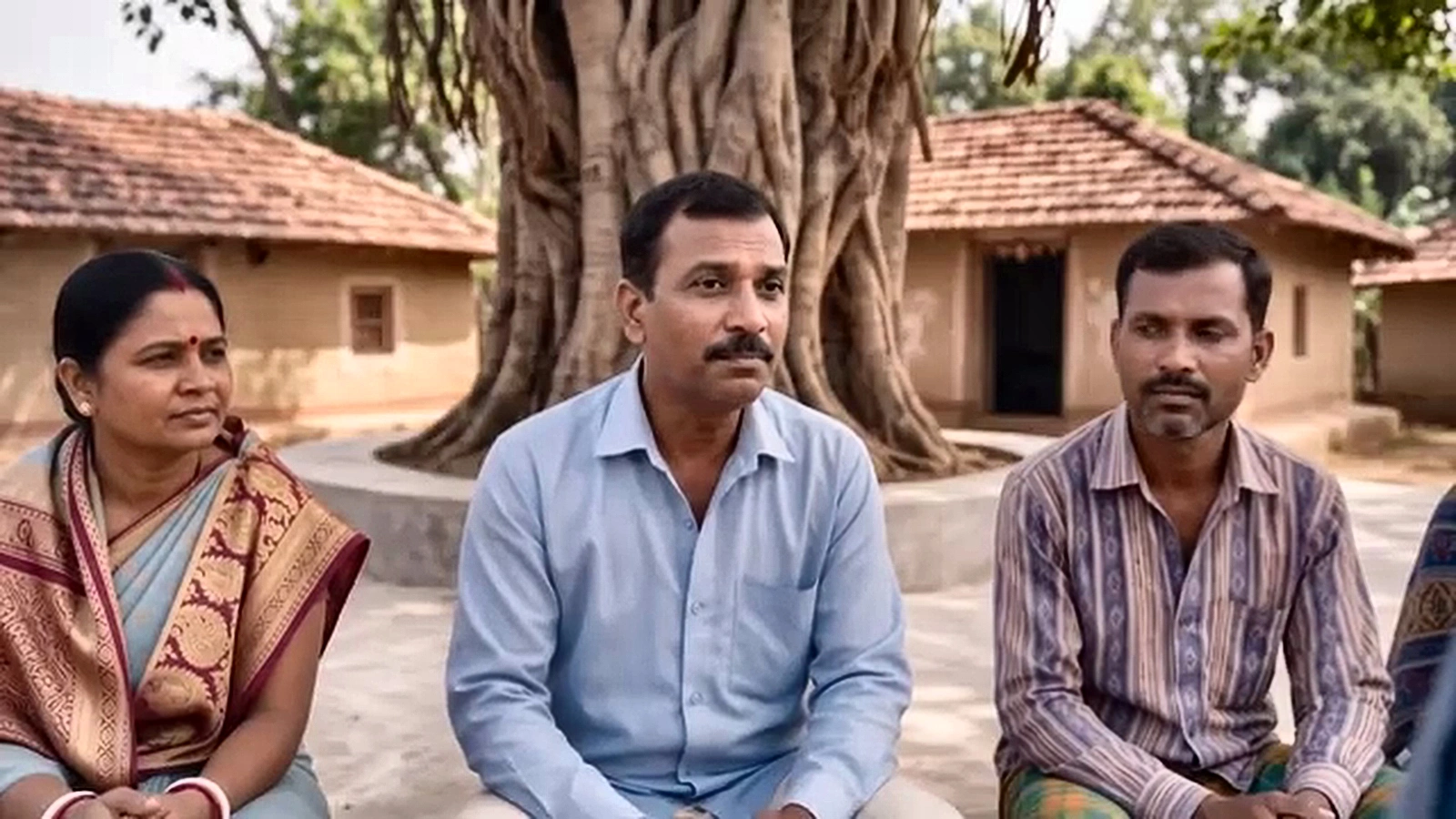
Shot 3 – Medium Shot (Same Angle, Group Setting)
Animate only the uploaded image.
The Swaasthya Mitra remains seated in the same position within the group. She looks naturally toward the people gathered around her and speaks one short sentence in Hindi with accurate lip synchronization.
Dialogue
“…सिर्फ 499 रुपये मेंएकसाल के लिए आपका स्वास्थ्यसुरक्षित रहेगा।”
Keep the original image, composition, clothing, background, group of people, lighting, and camera completely unchanged.
Camera locked and completely stationary throughout the shot. Natural subtle facial movement only. No additional action.
Shot 4 — Close-Up of the VOC
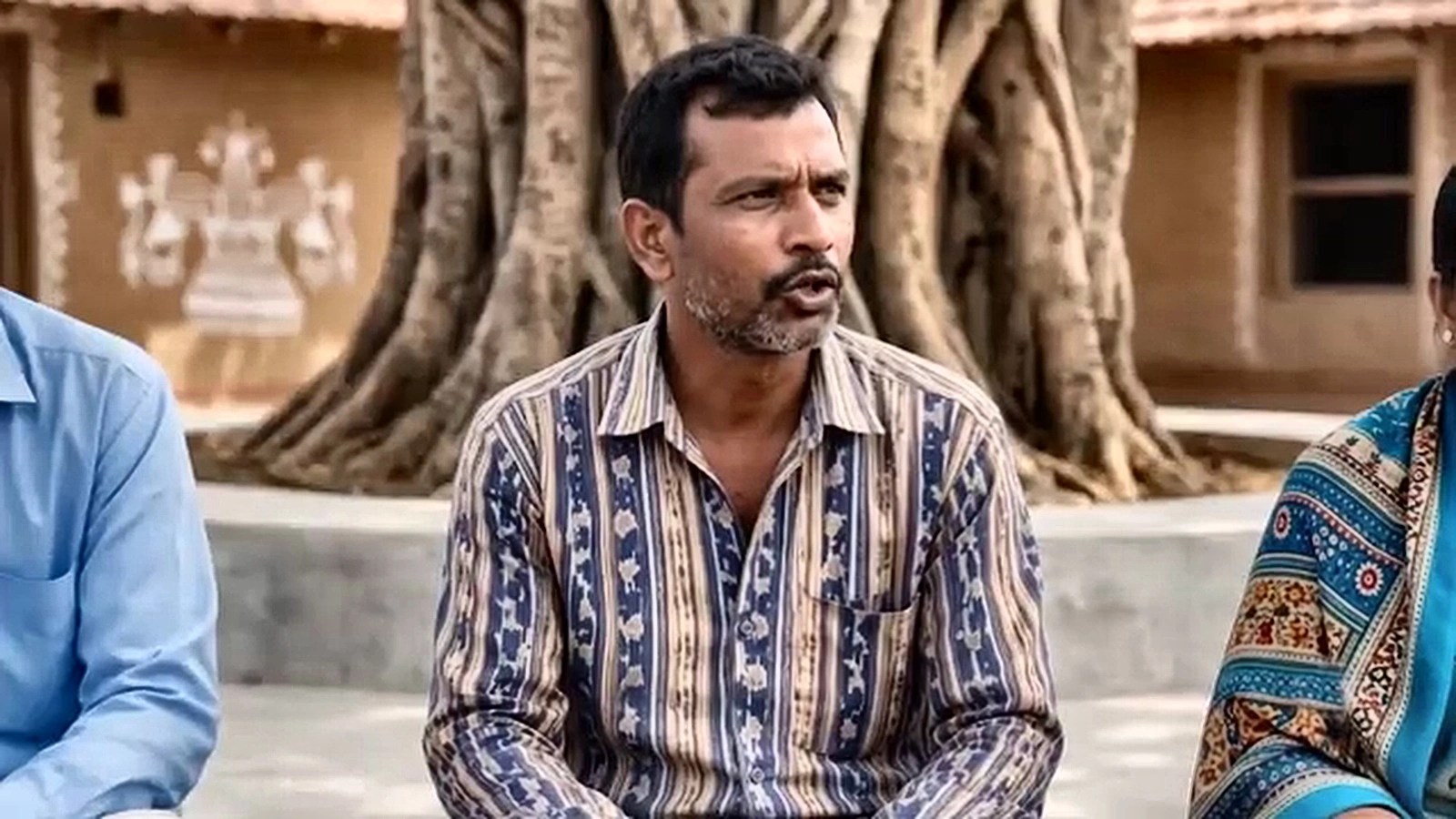
Shot 4 – Close-Up, VOC (Over-Shoulder From SM Side)
Animate only the uploaded image.
The person remains seated in the same position within the group. They look naturally toward the Swaasthya Mitra and speak one short sentence in Hindi with accurate lip synchronization.
Dialogue
“क्योरबेकवच… सिर्फ चारसौ निन्यानवेरुपयेमेंएकसाल… कैसे?”
Keep the original image, composition, clothing, background, lighting, and camera completely unchanged.
Camera locked and completely stationary throughout the shot. Natural subtle facial movement only. No additional action.
Shot 5 — Swasthya Mitra Asks a Follow-Up Question
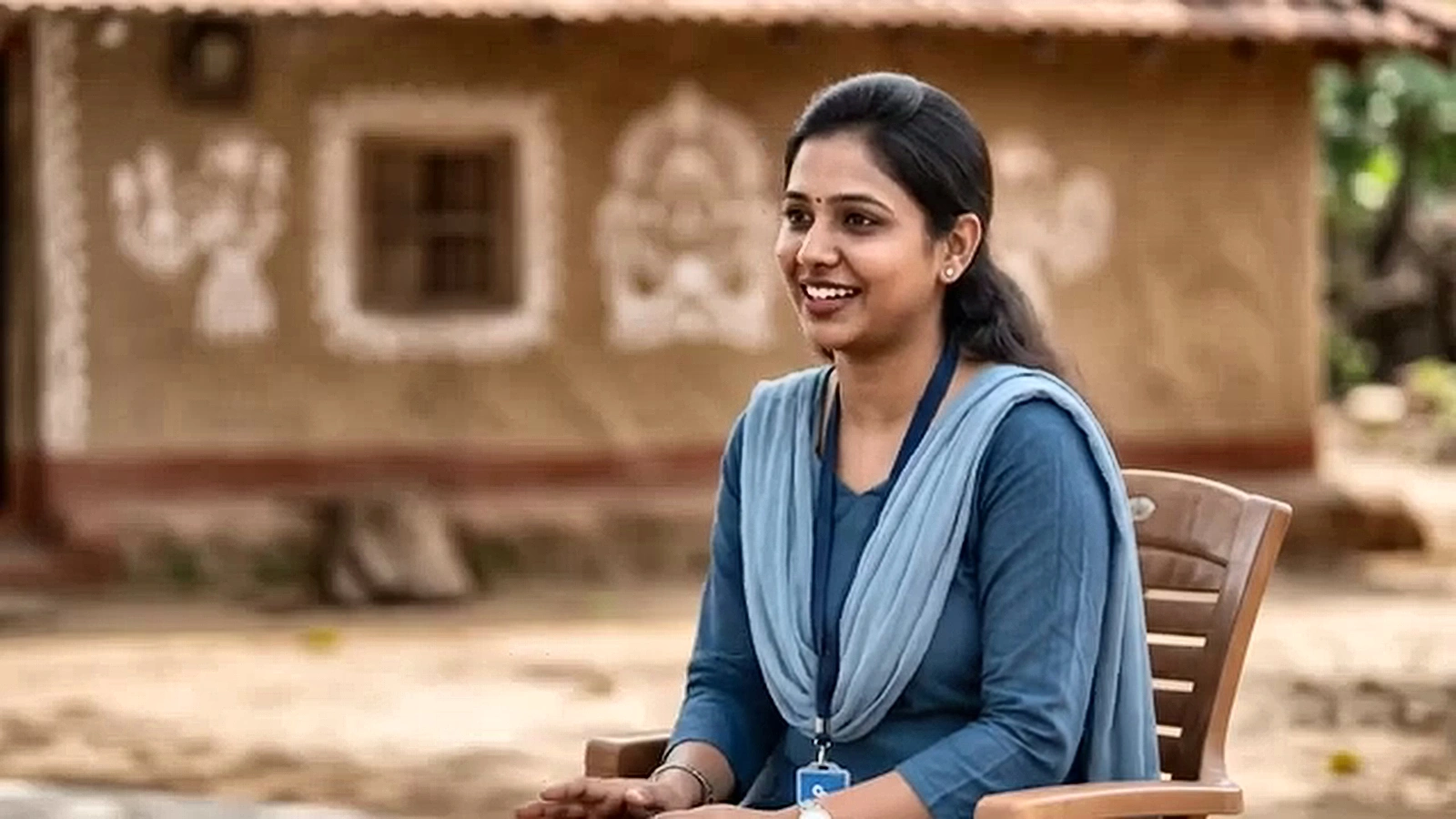
Animate only the uploaded image.
The woman remains seated in the same position within the group. She looks naturally toward the people gathered around her and speaks one short sentence in Hindi with accurate lip synchronization.
Dialogue
“अच्छा, जब आपकी तबीयत खराब होती है, तो सबसेपहली चिंता क्या होती है?”
Keep the original image, composition, clothing, background, group of people, lighting, and camera completely unchanged.
Camera locked and completely stationary throughout the shot. Natural subtle facial movement only. No additional action.
Why the Group Setting Makes the Video Feel More Real
There is a psychological difference between a presenter speaking to one actor and a health worker speaking to a small community.
The group setting makes the conversation feel like something that could happen in an actual village gathering.
The Swasthya Mitra is not delivering a corporate presentation. She is answering questions in a familiar social environment.
That is why preserving the people around her matters. Even when the camera focuses on one participant, the audience should still feel that the larger group is present.
Why We Used Close-Ups Without Changing the Scene
The group image provides the environmental continuity. The close-up provides the emotional focus.
Wide/group context → individual reaction → group response → individual reaction
The viewer understands where everyone is while still getting enough facial detail to understand the conversation.
Camera Lock Techniques in Veo Prompting
A camera move may look cinematic in isolation. But in a multi-scene conversational advertisement, unwanted camera movement can make the edit difficult.
For that reason, many prompts explicitly locked:
- Framing
- Perspective
- Composition
- Eye-line
- Scene continuity
Why We Kept Movement Minimal
The group setting already contains visual information. There are several people, a large banyan tree and an environment around them. There is also dialogue.
Adding excessive character movement can make the scene feel artificial.
- Natural blinking
- Subtle breathing
- Small head movements
- Gentle facial expressions
- Restrained gestures
The Voice Challenge: “Loan”
The most unusual voice-generation problem appeared later in the loan section.
In this particular Veo 3.1 workflow, the literal English word “loan” was being rejected during generation.
A phonetic, intentionally altered spelling was tested as a temporary generation input. The purpose was technical. The approved product terminology remained unchanged.
Approved Script vs Generation Input
This project demonstrated why these two things should be kept separate.
| Layer | Purpose |
|---|---|
| Approved Script | Defines what the audience should hear. |
| Generation Prompt | Tells Veo how to create the scene. |
The approved loan dialogue remained:
“CureBay Kavach में आपको मिलेगा एक लाख रुपये तक का लोन… बिना किसी ब्याज के…”
The VOC asks: “कैसे?”
The Swasthya Mitra explains: “आपकी एलिजिबिलिटी के आधार पर यह अमाउंटसीधेआपके हॉस्पिटल को दिया जाएगा।”
The VOC then asks: “अच्छा… और कितनेसमय मेंहमेंइसेचुकाना पड़ेगा…”
And the repayment response is: “छह सेअठारह महीनेमें…”
The approved wording remained the source of truth.
Why the Loan Section Was Divided Into Separate Scenes
- Loan amount
- Zero-interest statement
- Eligibility
- Hospital payment
- Repayment period
The section could move through:
Explanation → Question → Answer → Repayment Question → Repayment Answer
Exact Numbers Were Better Controlled in Editing
Financial figures need accuracy. The production therefore planned graphics for information such as:
- ₹499
- 1,000 CureBay Coins
- ₹500/day
- Loan amount
- Phone number
These elements were better controlled in post-production rather than relying on generated typography.
Veo handles the people and performance. The editor handles exact text and figures.
The CureBay Conversation Structure
- Introduction
- CureBay Kavach
- ₹499 annual benefit
- VOC reaction
- Doctor consultation
- Medicines
- Tests
- Hospital admission
- Daily expenses
- Loan support
- Repayment period
- Final recap
- CTA
The question-and-answer structure makes those benefits feel like part of a community conversation rather than a list of features.
Medicine and Test Benefits
The CureBay Coins section explains the stated 1,000-coin structure, including 500 for medicines and ₹500 for tests. Graphic elements were planned to support those numerical details.
Hospital and Daily Expense Section
The hospital section addresses another practical concern. The conversation moves toward travel and food expenses associated with treatment, followed by the stated ₹500-per-day benefit.
Sound Design Connected the Scenes
Although the scenes were generated separately, the finished edit needed to feel like the same gathering.
Sound helped.
The creative direction included natural village ambience such as birds and distant chatter. Light folk instrumentation, including dholak and flute, was intended to appear around benefit reveals and soften during concern-focused sections.
The same environmental sound palette helps connect separate generations.
Why We Kept Graphics Out of the Generated Scene
Generated typography can be unpredictable. For a commercial, exact information needs to be reliable.
The production therefore kept the visual scene focused on:
People + banyan tree + conversation + performance.
The edit handled:
Numbers + logos + prices + phone number + CTA.
Problems We Faced During Generation
Character Drift
People could look different between generations. The reference images and preservation instructions helped reduce this problem.
Group Continuity
Because several people were present, their positions and appearance also needed to remain consistent.
Clothing Changes
A changed shirt, scarf or accessory could make a cut noticeable.
Background Changes
The banyan tree and surrounding environment needed to remain recognisable.
Camera Drift
Unwanted camera movement could make the transition between scenes feel unnatural.
Excessive Movement
Multiple gestures and actions could create inconsistent performances.
Dialogue Performance
The right words alone were not enough. Eye-line, expression, pacing and restrained movement affected whether the conversation felt natural.
Voice Filtering
The “loan” issue required a temporary technical generation experiment while keeping the approved product wording unchanged.
What Actually Worked in Veo Prompting
-
Start With “Animate Only”
This tells Veo to animate the supplied scene instead of rebuilding it.
-
Preserve the Group
The group is part of the scene, not just background decoration.
-
Preserve the Banyan Tree Environment
The large banyan tree helps establish visual continuity between scenes.
-
Keep the Same Seating Positions
People should remain where they were established in the reference.
-
Lock the Camera
Especially for dialogue and reaction shots.
-
Give Each Scene One Dialogue Beat
This makes the 10-second scene easier to control.
-
Keep Movement Restrained
Natural subtle movement is more useful than complicated choreography.
-
Freeze Successful Prompts
Once a prompt works, treat that exact version as final for that scene.
The Production Lesson About Prompt Length
A longer prompt is not automatically a better prompt.
Too many instructions can create competing priorities.
The working prompts became more useful when they clearly separated what must remain unchanged from what must animate.
Our Core Veo Prompting Philosophy
- Animate only the uploaded image.
- Preserve the people, group arrangement, environment, clothing, lighting and composition.
- Define who speaks.
- Give one short dialogue line.
- Control the eye-line.
- Lock the camera.
- Allow only natural subtle movement.
Stop there.
Why the Final Prompts Should Remain Untouched
Once a successful prompt was confirmed, it became the production record.
| Prompt Status | Production Action |
|---|---|
| Failed prompt | Discarded |
| Experimental prompt | Tested |
| Working prompt | Final |
The final prompt should not later be rewritten and presented as the original working prompt.
Frequently Asked Questions
Why was the CureBay Kavach production divided into scenes?
Each Veo scene in this workflow was generated within a maximum 10-second window, so the conversation was divided into smaller scenes and assembled during editing.
What was the main visual setting?
The production used a community gathering under a large banyan tree, with the Swasthya Mitra interacting with a group of people.
Was it a two-person conversation?
No. The core visual setup was a group conversation. Individual close-ups were used for particular reactions and dialogue beats while maintaining continuity with the established group scene.
Why were the scene images created first?
The images established the people, environment, seating arrangement and camera composition before animation.
Why was the group important?
The group made the scene feel like a genuine community interaction rather than a staged two-person interview.
Why were some shots close-ups?
Close-ups allowed individual reactions to become readable while the established group scene continued to provide the environmental context.
Why was the camera locked?
A locked camera helped preserve framing and made separately generated scenes easier to connect during editing.
Why was movement kept subtle?
Excessive movement could create inconsistencies between the people, clothing, positions and environment.
Why was “loan” difficult?
In this particular production workflow, the literal English word was being rejected during generation. A temporary phonetic representation was tested. This should not be presented as a universal Google restriction.
Did the approved product dialogue change?
No. The approved script remained the editorial source of truth.
Where were exact prices and phone numbers handled?
Exact figures, phone numbers and branding were better controlled through post-production graphics.
Final Takeaways on Professional Veo Prompting
The CureBay Kavach production was built around a simple scene-generation workflow.
The visual foundation was first created in Gemini Pro.
The reference scene showed a group of people gathered under a large banyan tree, with the Swasthya Mitra as part of the community conversation.
Each Veo scene in the production was generated within a maximum 10-second window, so the conversation was divided into smaller scenes and assembled during editing.
Each scene had a specific purpose.
For example, one scene introduces the Swasthya Mitra. Next, a follow-up shot explains the ₹499 benefit, while a third scene captures a VOC’s reaction. Afterward, the camera returns to the Swasthya Mitra, before finally isolating an individual from the group for an emotional close-up.
The key was that these were not separate worlds. They all came from the same established group scene.
That is why preserving the people, banyan tree, seating arrangement, clothing, lighting and camera composition mattered so much.
Here, the banyan tree stays, while the surrounding group remains in place. Furthermore, the characters maintain their exact positions as the camera stays locked. Ultimately, only the intended performance changes.
The prompt strategy was equally straightforward: animate the uploaded image, preserve the established group and environment, give the scene one clear dialogue beat, keep the camera controlled, keep physical movement restrained, confirm the prompt once it works, and move to the next scene.
The “loan” issue also showed why the technical generation layer should remain separate from the approved script. A temporary generation experiment can solve a model-specific production problem without changing the actual product message.
The biggest lesson from the project is that good Veo prompting is less about filling a prompt with cinematic language and more about controlling what is allowed to change.
That is what makes separately generated scenes feel like parts of the same conversation.
Commercial AI Video Production & Visual Strategy
Want to explore custom Veo prompting workflows, generative brand commercials, or visual strategies for your company? Contact PortrayMedia to collaborate directly with our creative team led by Manas Ranjan Behera.
More in AI Video Prompts and Workflows
This guide is part of our AI Video Prompts and Workflows hub, where you’ll find every related guide, along with tips and common questions.