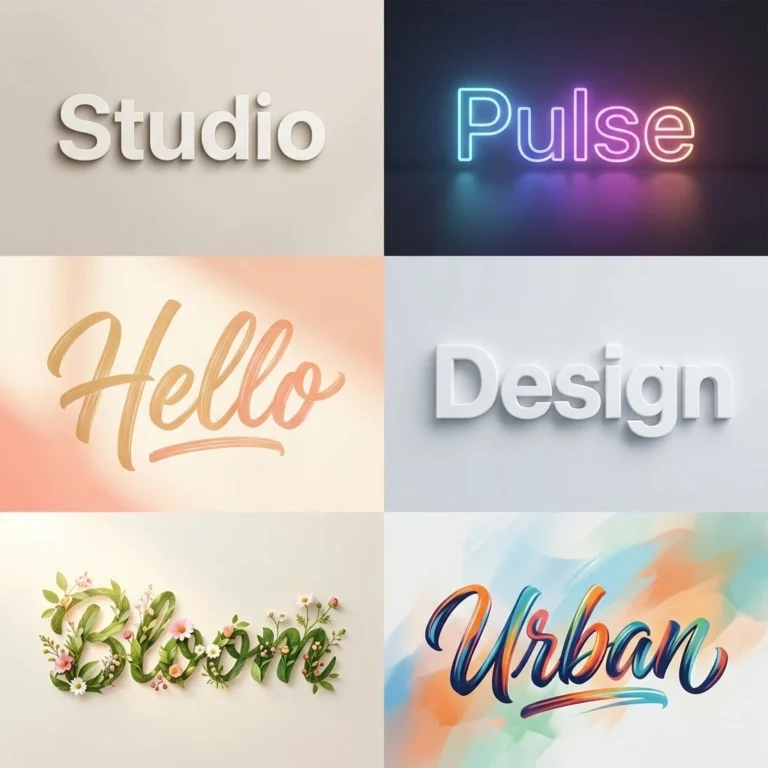
Patrick Hand and Kalam are the best fonts to start with if you want the look of neat, everyday handwriting. Both are easy to read, and both are free on Google Fonts. Patrick Hand is based on its designer’s own handwriting, and Kalam also covers Devanagari. For something closer to a signature, try Alex Brush or Shoreliness Script.
This guide groups 20 handwriting-style fonts by look and use, then shows how to upload your own font to Canva.
Why Designers Use Handwriting Fonts
Handwriting fonts make a design feel personal. Uneven strokes and organic curves suggest that a person wrote the words, which suits invitations, notes and social posts better than a formal typeface.
On this page
- Why Designers Use Handwriting Fonts
- Which Font Looks Like Handwriting?
- 10 Handwriting Fonts to Download or Upload
- How to Upload a Handwriting Font to Canva
- 10 Handwriting Fonts to Try Inside Canva
- How to Use Handwriting Fonts in a Design
- Where Handwriting Fonts Work Best
- What Makes a Handwriting Font Look Realistic?
- Free Handwriting Fonts on Google Fonts
- Choose by Project
- Check the Licence
- Which Font to Choose
- Common Questions
Which Font Looks Like Handwriting?
- Neat everyday notes: Patrick Hand, Kalam
- Casual and friendly: Handwritten, Jenna Sue, Buffalo
- Elegant signature style: Alex Brush, Shoreliness Script, Mellisa Handwritten, Keighley Castle Handwritten
- Tall and fashion-led: Britanny, Themysion, Better Saturday
- Bold brush: Holiday
Before you decide, test the font with your real text at the size you will use it. A script that looks lovely in a headline can be hard to read in a small caption.
10 Handwriting Fonts to Download or Upload
Patrick Hand and Kalam are free on Google Fonts. For the others, check the licence where you get the font, especially for client or commercial work.

Handwritten
Style: Casual and flowing, with a natural pen-on-paper feel.
Best for: Invitations, greeting cards, quotes and lifestyle designs.

Darline
Style: Smooth, refined and flowing.
Best for: Wedding and celebration invitations, and salon or boutique logos.

The Skinny
Style: Minimal and light.
Best for: Children’s designs, friendly branding and airy layouts.

Shoreliness Script
Style: Delicate strokes with gentle loops.
Best for: Signature logos, wedding stationery and decorative text.

Patrick Hand
Style: Clean, neat and very readable.
Best for: Notes, educational materials, children’s content and casual branding.

Mellisa Handwritten
Style: Elegant curves with a smooth, expressive flow.
Best for: Logos, wedding designs and signature-style text.

Larianti
Style: Thin, with smooth curves and a graceful flow.
Best for: Social media graphics.

Keighley Castle Handwritten
Style: Refined and graceful.
Best for: Luxury branding, formal invitations and jewellery logos.

Kalam
Style: Friendly and informal, with smooth curves.
Best for: Educational content, storytelling graphics and warm designs.

Jenna Sue
Style: Playful, with a soft, friendly flow.
Best for: Lifestyle branding, blogs and short sayings.
To use one of these fonts in Canva, follow the upload steps below.
How to Upload a Handwriting Font to Canva
Uploading a font requires a paid Canva plan, such as Canva Pro, and on a team only some roles can do it. Use an OTF, TTF or WOFF file with a licence that allows embedding. Canva updates its menus from time to time, so the labels may differ slightly from these screenshots.
Step 1: Open Brand Kit
From the Canva home page, open Brand and choose your Brand Kit. If you don’t have one yet, create one and give it a name.

Step 2: Select Font
In the Brand Kit options, select Fonts.

Step 3: Manage Fonts
Open the option for managing uploaded fonts.

Step 4: Upload Your Font
Click Add New, choose the font file from your computer and wait for the upload to finish. The font will then be available for your Brand Kit designs. If you want bold or italic versions, upload those files too.

10 Handwriting Fonts to Try Inside Canva
Search for these names in Canva’s font menu. You don’t need to upload a font that’s already in your library. Canva’s library changes, though, and some fonts may need a paid plan.

Britanny
Style: Tall, modern and chic.
Best for: Fashion, luxury branding and elegant designs.

Buffalo
Style: Modern, with balanced strokes and a friendly flow.
Best for: Casual branding, social media posts and invitations.

Handsome
Style: Classic, with smooth strokes.
Best for: Titles and short quotes that need a timeless feel.

Alex Brush
Style: Classic brush script with smooth, refined curves.
Best for: Elegant branding, certificates and decorative titles.

Themysion
Style: Tall, dramatic and very stylish.
Best for: Fashion and luxury branding, and bold Instagram graphics.

Holiday
Style: Bold brush style with energetic strokes.
Best for: Posters, travel themes and social media graphics.

Better Saturday
Style: Tall, with smooth curves and a chic flow.
Best for: Designs that need a trendy, signature-style touch.

Moontime
Style: Sleek and modern, with airy strokes.
Best for: Titles and short quotes.

Smooth Fantasy
Style: Confident and expressive.
Best for: Headlines and energetic social graphics.

Golden
Style: Delicate, with smooth loops.
Best for: Lifestyle designs and luxury packaging.
Most of these work best for short lines such as titles, names and quotes. For longer text, choose something simpler.
How to Use Handwriting Fonts in a Design
- Pair it with a plain font: Use the handwriting font for the headline and a simple sans serif for the details.
- Avoid all caps with scripts: Connected letters are designed to flow in lowercase, so capitals can look broken and be harder to read.
- Give it space: Thin strokes need strong contrast with the background and a large enough size.
- Limit it to one: Two handwriting fonts in one design usually compete with each other.
Where Handwriting Fonts Work Best
They work best where a design should feel warm or personal:
- Journal pages and planners
- Invitations and menu cards
- Social media quotes
- Salon, boutique and other lifestyle templates
- Personal brand signatures
Avoid them for long paragraphs, small captions, forms and anything people need to read quickly.
What Makes a Handwriting Font Look Realistic?
Realistic handwriting fonts copy the small flaws of real writing:
- Organic curves
- Slight inconsistencies between letters
- Natural spacing
- Line weight that isn’t uniform
- Soft edges
Repeated letters are often the giveaway. In many fonts, every “e” is identical. Better fonts may include alternate versions of a letter, so a word looks less mechanical. To check, type a word with double letters, such as “letter” or “happy”.
Free Handwriting Fonts on Google Fonts
These are also on Google Fonts, so they’re easy to try before you commit. Type your own words into the preview on each font’s page.
| Font | Looks like | Good for |
|---|---|---|
| Caveat | Quick, natural notes | Annotations and social posts |
| Indie Flower | Rounded, friendly writing | Kids’ content and casual designs |
| Shadows Into Light | Neat, airy writing | Captions and short quotes |
| Gloria Hallelujah | Playful comic-style notes | Fun headlines and school projects |
| Reenie Beanie | Fast ballpoint scrawl | Sticky notes and scrapbook designs |
| Homemade Apple | Loose, older-style script | Personal notes and vintage designs |
| Dancing Script | Bouncy, flowing script | Invitations and logos |
| Sacramento | Thin, monoline script | Elegant short titles |
| Nanum Pen Script | Casual pen writing | Handwritten-style captions |
Choose by Project
| Project | Start with | Why |
|---|---|---|
| Worksheets and lesson notes | Patrick Hand or Kalam | Clear letters are easy to read |
| Wedding invitations | Alex Brush or Dancing Script | Flowing script suits formal names |
| Instagram quotes | Caveat or Shadows Into Light | Informal and readable on a phone |
| Signature-style logos | Sacramento or Alex Brush | Simple shapes that work at large sizes |
| Children’s books | Patrick Hand or Indie Flower | Friendly and easy to read |
| Scrapbooks and journals | Reenie Beanie or Homemade Apple | Looks casual and personal |
Check the Licence
A free download doesn’t always mean free for business use. Many fonts on free font sites are for personal use only, so read the licence before you use one in client work, on products or in a logo. Google’s font library is open source, and its fonts can generally be used in commercial projects, but each font’s page lists its licence if you want to confirm.
Which Font to Choose
For neat, readable handwriting, use Patrick Hand or Kalam. For a signature look, use Alex Brush. Keep script fonts to short lines, pair them with a plain font for details, and test them at the size you will really use.
Common Questions
Is Patrick Hand available in Canva?
Search for “Patrick Hand” in the Canva font menu on your account. If it isn’t there, download it free from Google Fonts and upload it, which requires a paid Canva plan.
What is the most realistic handwriting font?
It depends on the handwriting you want to match. Patrick Hand and Kalam look like neat notes, and Alex Brush looks more like formal script. Compare a few with your own text.
Can I turn my own handwriting into a font?
Yes. Font-making tools can turn a scanned sample of your writing into a font file. If the file is OTF, TTF or WOFF, you can upload it to Canva using the steps above.
More in AI Graphic Design Prompts
This guide is part of our AI Graphic Design Prompts hub, where you’ll find every related guide, along with tips and common questions.