






AI Icon Prompts: 12 Business and Gradient Designs
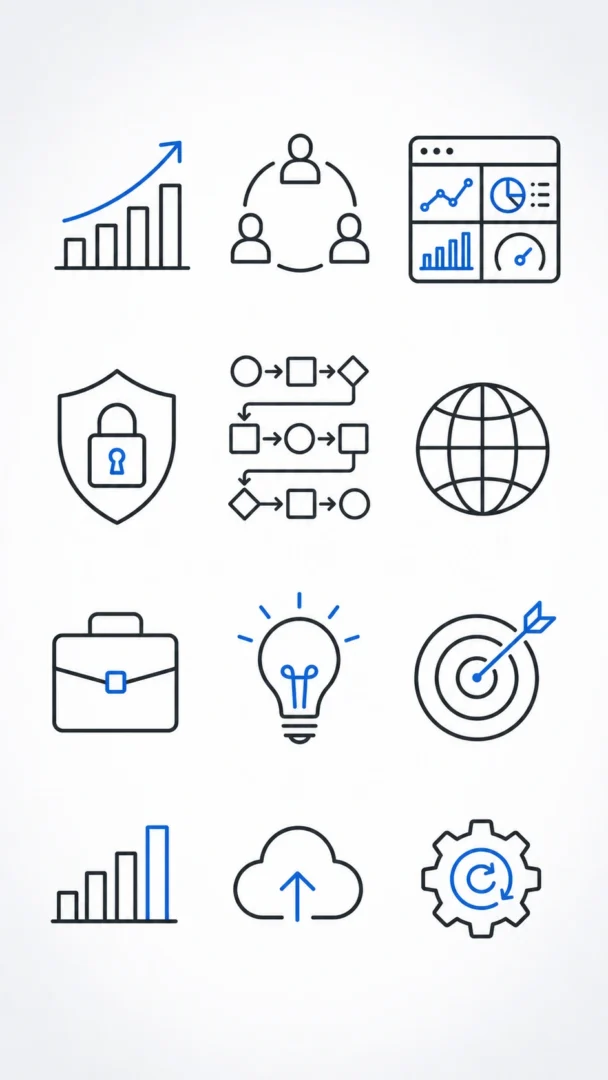
These AI prompts create icons in two styles: clean business graphics and colourful gradient symbols. To make a set, keep the same colours and light direction and change only the symbol. Test each icon at small size before you use it.
What’s on This Page
| Section | Prompts | Best for |
|---|---|---|
| Business icons | 6 | Clean presentations and websites |
| Gradient Icon Prompts | 6 | Apps and modern interfaces |
6 Business Graphics Icon Prompts
Growth Chart Icon
Replace the highlighted text with your own details before you run the prompt.
Team Collaboration Icon
Replace the highlighted text with your own details before you run the prompt.
Analytics Dashboard Icon
Replace the highlighted text with your own details before you run the prompt.
Financial Security Icon
Replace the highlighted text with your own details before you run the prompt.
Process Workflow Icon
Replace the highlighted text with your own details before you run the prompt.
Global Business Icon
Replace the highlighted text with your own details before you run the prompt.
Gradient Icon Prompts
These six AI prompts create gradient icons for search, security, music, smart home, camera and launch symbols. Each one tells the AI which way the gradient runs and where the light falls.
Paste a prompt into ChatGPT, Nano Banana or Flux. Random colour blends often look muddy, so name two or three colours and one direction. AI returns a picture rather than a real icon file, so redraw your favourite in a vector tool if you need it for an app.
What Makes a Good Gradient Icon
- Light: A highlight at the top left and a soft shadow at the bottom right add depth.
- Flow: Radial gradients feel stable, diagonal ones feel dynamic, and vertical ones feel structured.
- Shape: Rounded corners feel friendly, while sharp edges feel more serious.
- Size: Check that the icon is still clear at small sizes, since that’s how most people will see it.
To make a set, keep the same colours and light direction and change only the symbol.
Dimensional Search Icon with Directional Light
Replace the highlighted text with your own details before you run the prompt.
Gradient Lock Security Emblem
Replace the highlighted text with your own details before you run the prompt.
Music Waveform Icon with Energy Gradient
Replace the highlighted text with your own details before you run the prompt.
Smart Home Hexagon Icon
Replace the highlighted text with your own details before you run the prompt.
Minimal Camera Shutter Symbol
Replace the highlighted text with your own details before you run the prompt.
Abstract Rocket Launch Icon
Replace the highlighted text with your own details before you run the prompt.
More in AI Clipart, Sticker and Icon Prompts
This guide is part of our AI Clipart, Sticker and Icon Prompts hub, where you’ll find every related guide, along with tips and common questions.