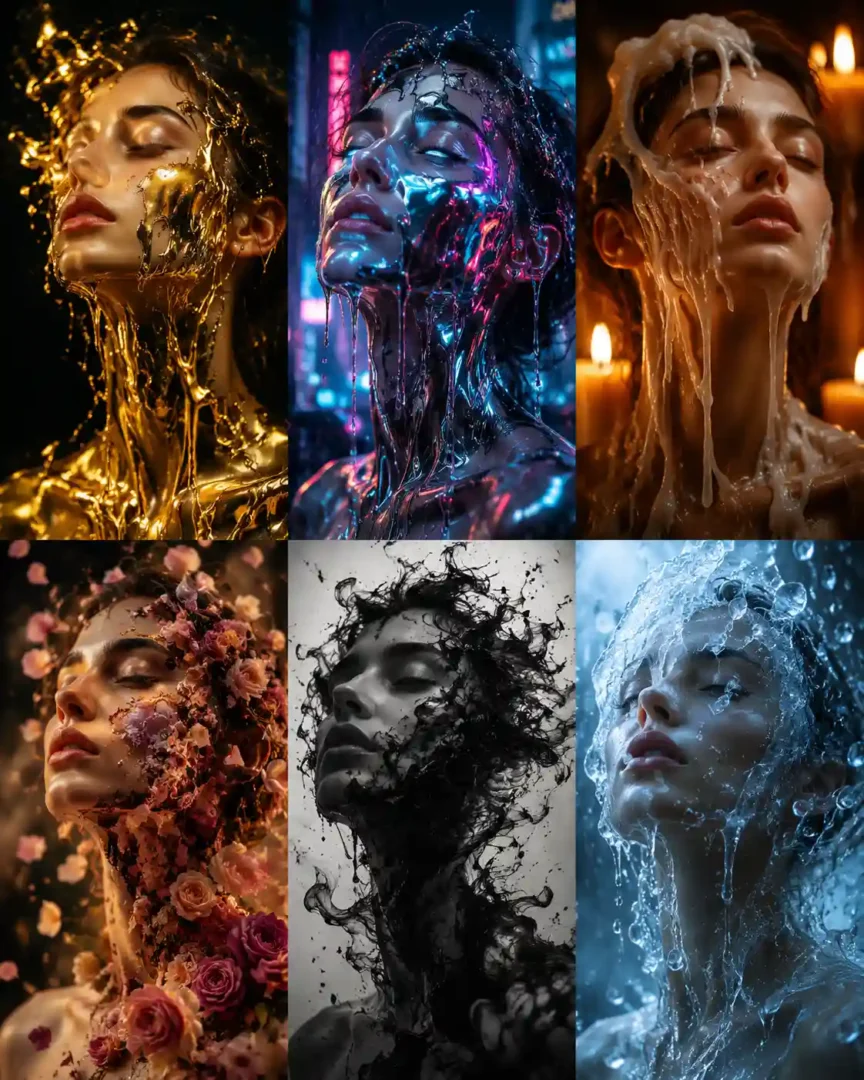
AI Melting Portrait Prompts: 6 Styles to Try With Your Photos
There is a point where an AI melting portrait stops looking like a creative photo edit and starts looking like an AI face covered in an effect.
That difference matters.
If you upload an ordinary portrait to ChatGPT and ask it to make the face melt, the first result may look impressive in a thumbnail but disappointing when you actually look at the eyes, skin, jawline and expression. The person you started with can disappear under the effect.
On this page
- Before You Try a Melting Portrait
- AI Melting Portrait Prompts
- Which Melting Portrait Should You Try First?
- What to Do When ChatGPT Changes Your Face
- Don't Keep Changing Everything at Once
- Which Melting Portrait Style Looks Most Realistic?
- Why Does My Melting Portrait Look Too Much Like AI?
- Frequently Asked Questions
- Conclusion
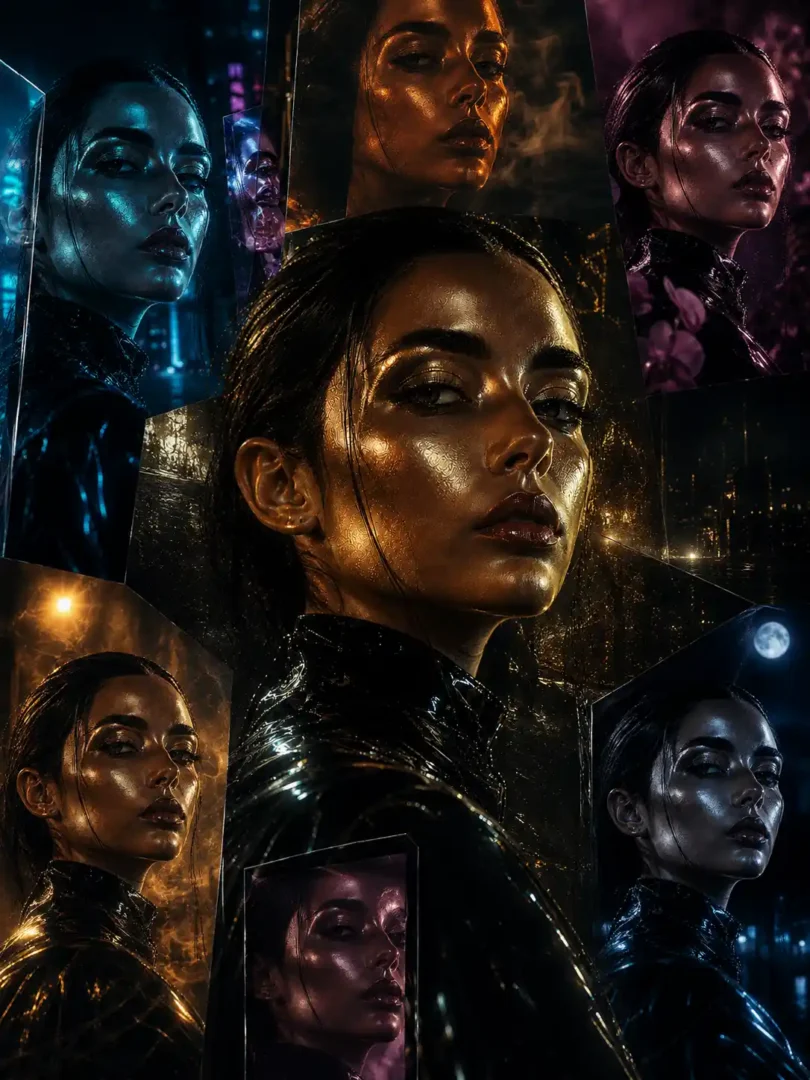
The prompts in this guide take a different approach. They keep the original photograph as the starting point and change the visual material around the subject—molten gold, chrome, wax, flowers, ink and ice.
You can use the same uploaded photograph with each prompt and compare the results. That is actually a better way to experiment than changing both the photograph and the prompt every time.
Before You Try a Melting Portrait
Your source photograph matters more than many people expect.
A clean portrait with a visible face gives an image model more information to work with. A heavily filtered selfie, blurry photograph or image where the face is partly hidden can make the final result much less recognizable.
For your first attempt, I would choose:
- A reasonably sharp portrait
- Clearly visible eyes and facial features
- Good separation between the person and the background
- Limited motion blur
- A natural expression
- Enough facial detail for the model to work from
You don’t need a studio photograph. A good phone portrait can be enough.
There is also no reason to immediately search for a longer prompt if the first generation looks wrong. If ChatGPT changes the face too much, try the same prompt with a better source image first. Uploaded-image editing can preserve a reference, but identity is not guaranteed perfectly, so some drift is normal.
AI Melting Portrait Prompts
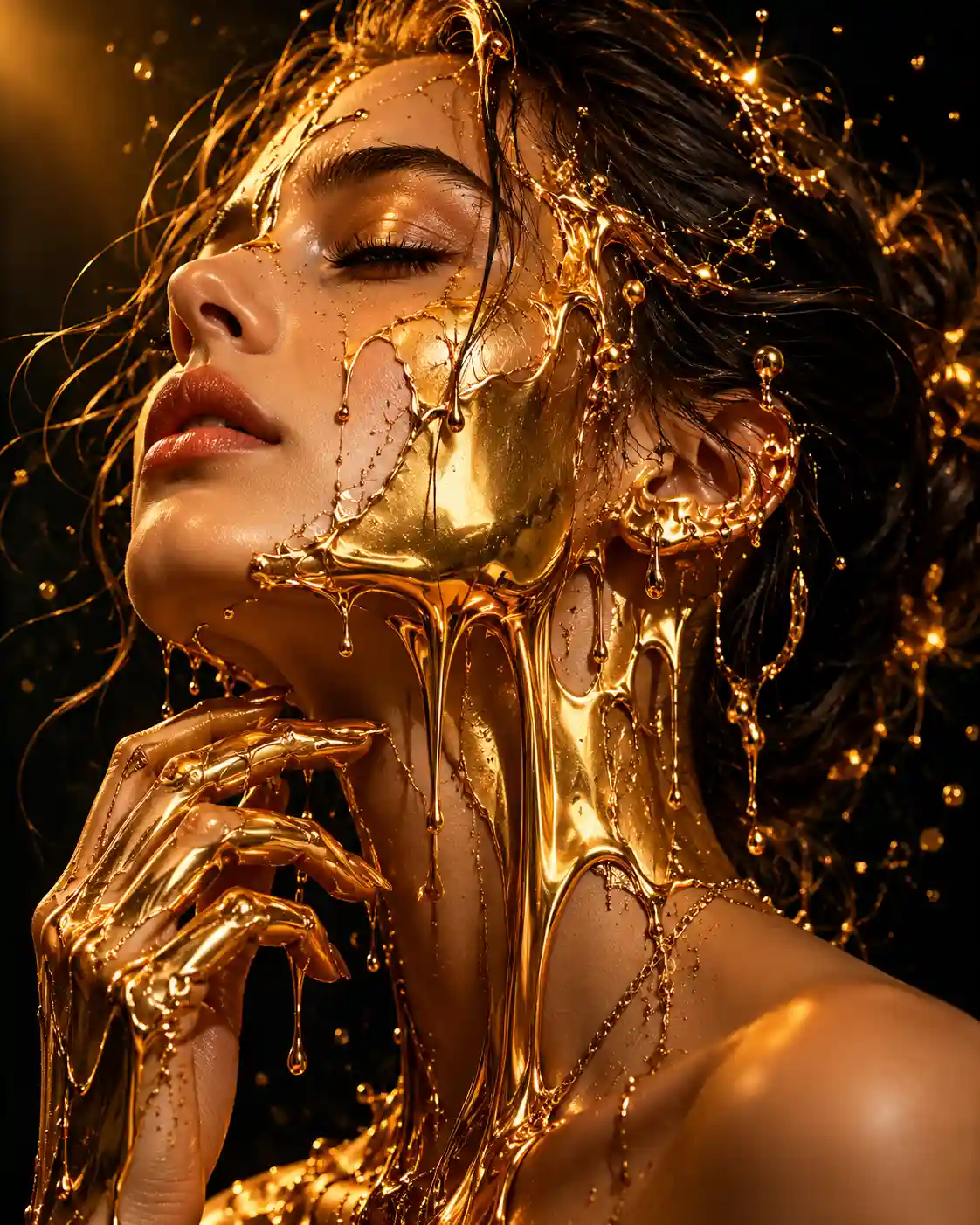
Liquid Gold Melting Portrait
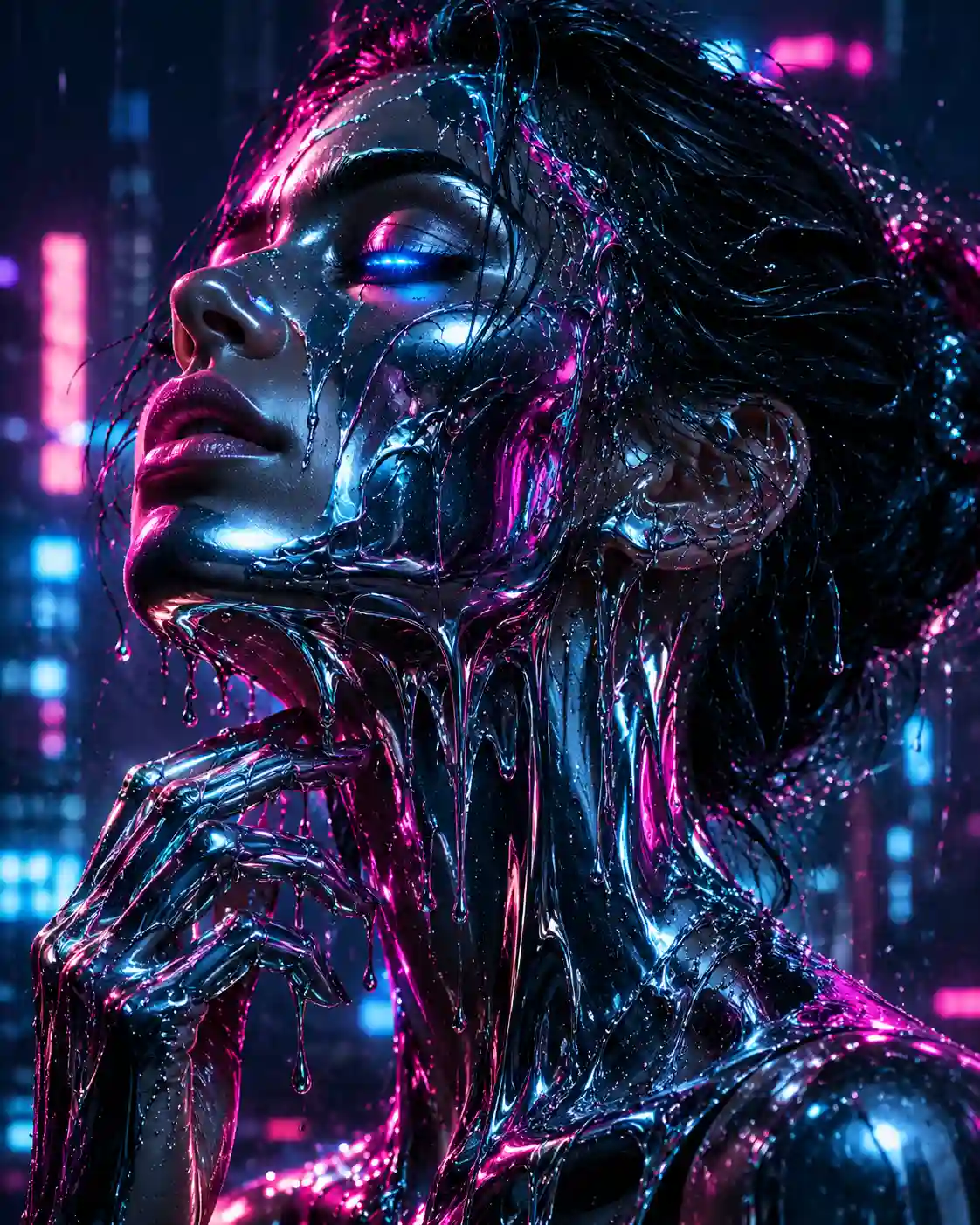
Chrome Melt Cyberpunk Portrait
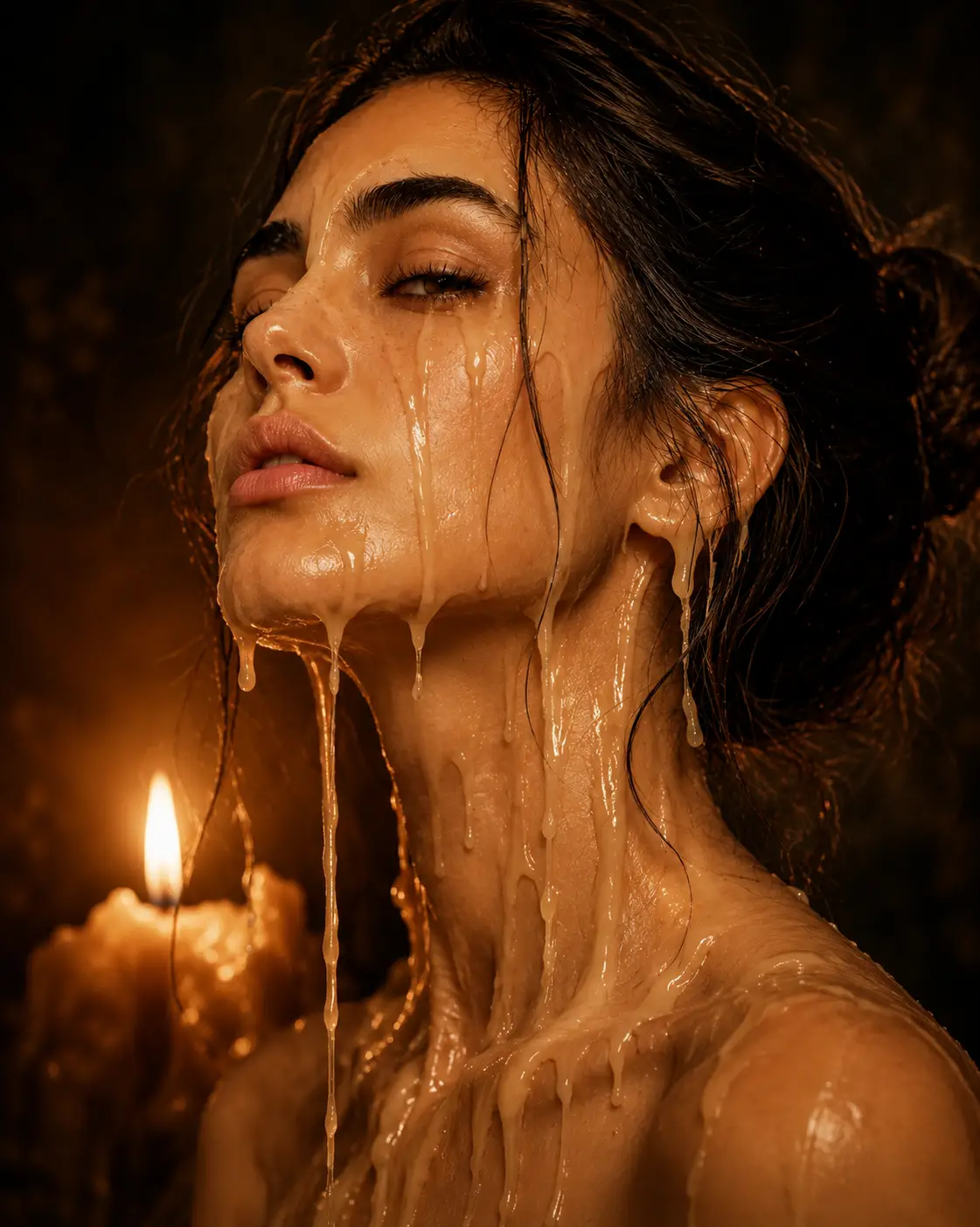
Emotional Wax Melt Portrait
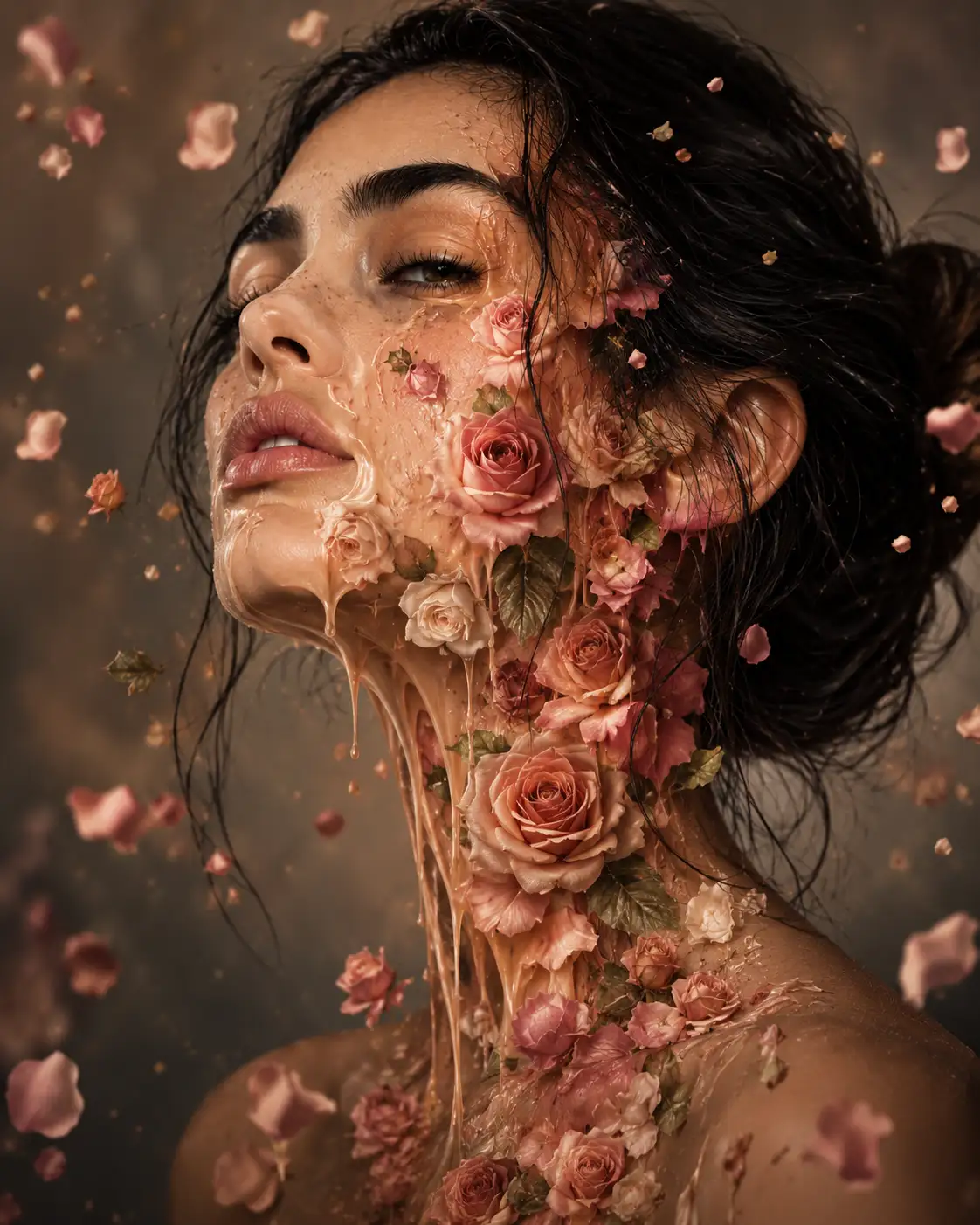
Floral Melting Face Surrealism
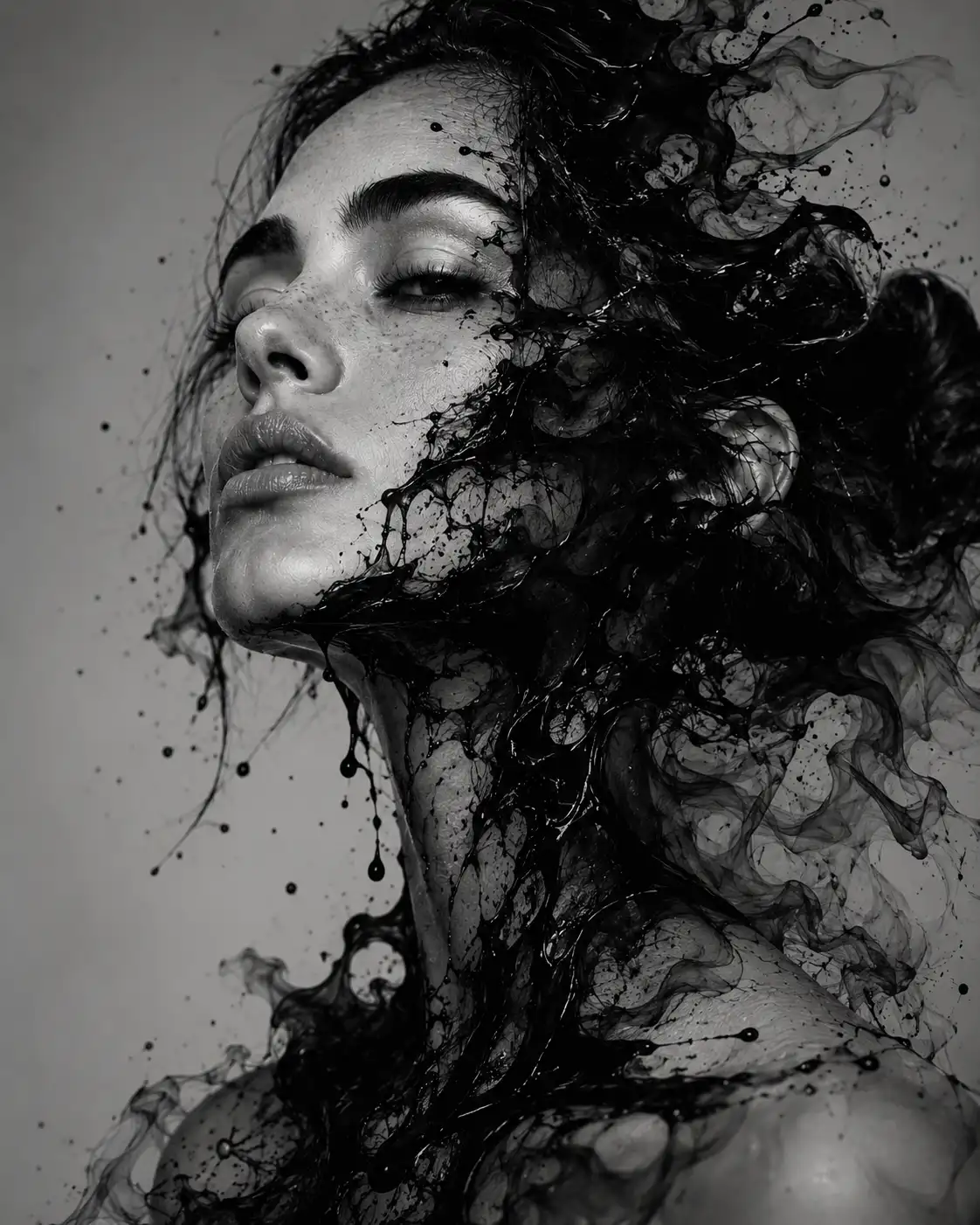
Black Ink Dissolving Portrait
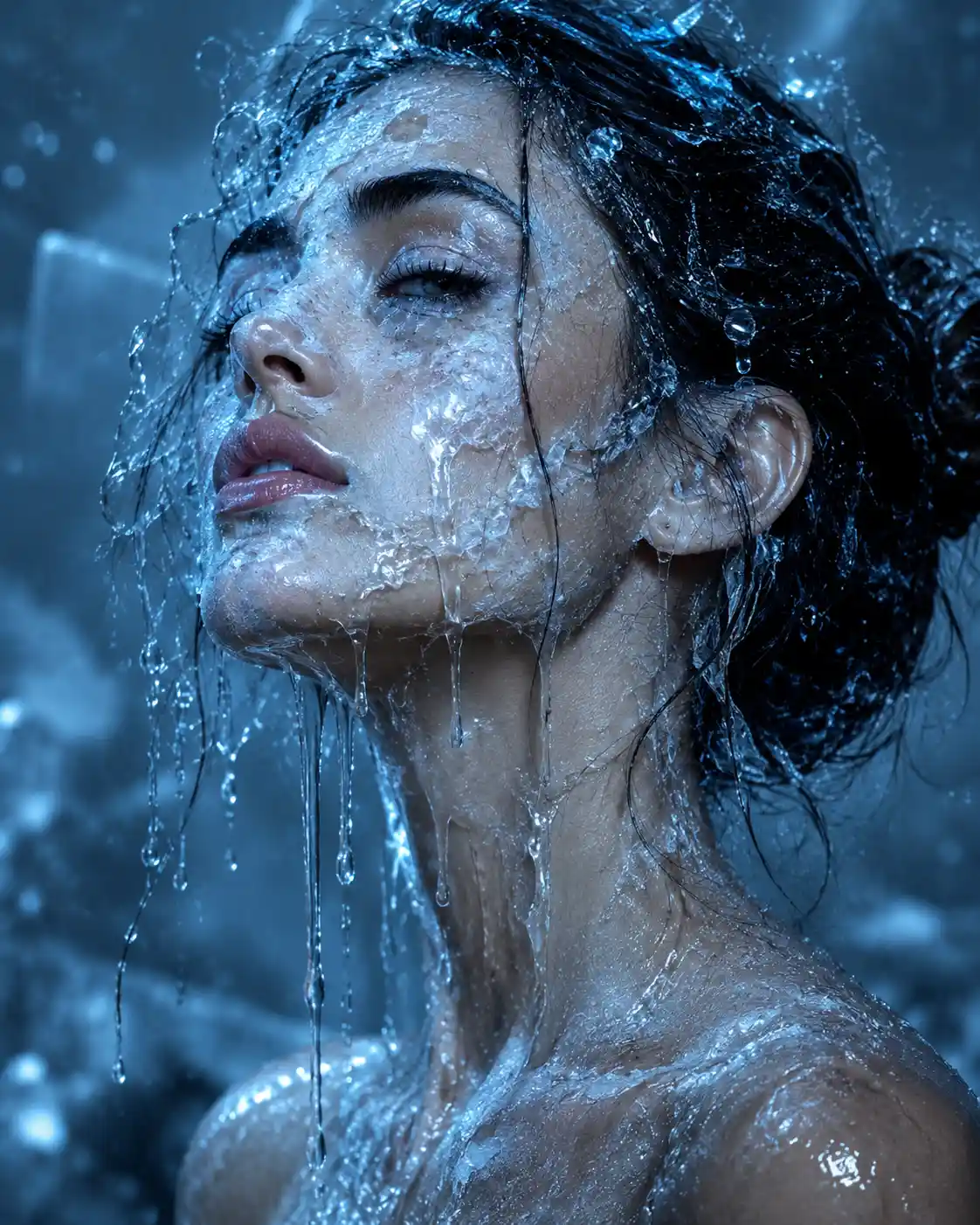
Ice Melt Surreal Portrait
Which Melting Portrait Should You Try First?
| Style | What it feels like | Good starting photo |
|---|---|---|
| Liquid Gold | Luxury editorial | Close-up portrait |
| Chrome | Futuristic / cyberpunk | Dramatic portrait |
| Wax | Dark fine art | Emotional close-up |
| Flowers | Fashion / fantasy | Soft portrait |
| Black Ink | Abstract fine art | Simple-background portrait |
| Ice | Cold conceptual art | Detailed close-up |
The useful part of doing this comparison is that you can separate prompt quality from source-photo quality.
If gold, wax and ice all preserve the face reasonably well but chrome doesn’t, the chrome transformation is probably the difficult one—not necessarily your photograph.
What to Do When ChatGPT Changes Your Face
This is probably the most frustrating part of AI portrait editing.
You upload your photograph because you want your face transformed. Then the generated image looks like a different person.
Don’t immediately throw away the entire generation.
Try a targeted follow-up instruction telling ChatGPT to redo only the problematic part while preserving the facial identity. Instead of asking for another complete transformation, be specific about what should stay unchanged.
For example, if the melting effect looks right but the face has drifted, use:
Redo the transformation while keeping the person's original facial identity, facial structure, eyes, nose, mouth, hairstyle, skin tone and expression recognizable. Keep the melting material and overall composition, but reduce facial distortion.This works better as an editing instruction because you are not asking the tool to start over. You are telling it which part of the result needs correction while making the identity-preservation requirement explicit.
Don't Keep Changing Everything at Once
There is a common mistake with prompt experiments: changing the photograph, material, lighting, composition and style simultaneously.
Then you have no idea what actually improved the image.
A better workflow is:
Photo → first generation → identify one problem → make one targeted change → regenerate.
If the face is wrong, work on identity.
If the material looks fake, work on the material.
If the composition is weak, change the framing.
If everything changes at once, you lose the comparison.
This small habit makes AI image experimentation much less frustrating.
Which Melting Portrait Style Looks Most Realistic?
There isn’t one universal winner.
Liquid gold can look convincing because reflective metal naturally explains the unusual surface.
Wax can look believable because melting is an expected property of the material.
Flowers are less about physical realism and more about creating a convincing visual composition.
Chrome and ice can require more careful control because reflections, transparency and facial distortion can become visually complicated.
So I wouldn’t choose based only on which thumbnail looks most dramatic. Choose according to what you want the finished portrait to communicate.
Why Does My Melting Portrait Look Too Much Like AI?
Usually, the problem is not simply that the image contains an unusual effect.
Look closely at the face.
Are the eyes symmetrical in an unnatural way? Did the skin become completely smooth? Did the hair change? Does the material appear to float instead of interacting with the face? Did the original expression disappear?
Those details are often more revealing than the overall composition.
A useful test is to look at the image at normal size rather than only zooming in on the dramatic melting section. If the face still looks like the person you started with, the transformation is doing its job.
Frequently Asked Questions
What is an AI melting portrait?
It is an AI-generated or AI-edited portrait in which part of the subject appears to dissolve, drip, or transform into another material. Common directions include liquid metal, wax, flowers, ink, and ice.
Can I make a melting portrait from my own photo?
Yes. Upload a portrait to ChatGPT and provide a transformation prompt. A clear, reasonably sharp source image generally gives the model more useful facial information to work with.
Does ChatGPT keep my face exactly the same?
Not necessarily. AI image editing can preserve a person’s identity reasonably well, but it does not guarantee pixel-perfect facial consistency. If the face changes, try a targeted follow-up instruction instead of rewriting the entire prompt.
Which melting portrait prompt is best for beginners?
Liquid gold is a good first experiment because the transformation is easy to see while the face can remain relatively recognizable. After that, try wax or flowers if you want a softer result rather than a futuristic look.
Why does the AI change my eyes or facial features?
Strong transformation instructions can cause the model to reinterpret parts of the face. Styles such as chrome and black ink involve heavier distortion, so changes to the eyes, nose, mouth, or overall facial structure can become more noticeable.
What kind of photo should I upload?
Use a reasonably sharp portrait where the face is clearly visible. A straightforward photograph without extreme filters, heavy shadows, or motion blur gives the AI a better starting point for the transformation.
Can I use one photo for all six prompts?
Yes. Using the same source photograph for all six AI melting portrait styles is actually a useful way to compare the results. It keeps the original face consistent, making it easier to see how much the material and visual direction affect the final image.
Can I change the melting material?
Yes. The six prompts use gold, chrome, wax, flowers, ink, and ice, but you can adapt the same melting portrait idea to other materials. Try glass, silver, smoke, chocolate, paint, sand, or even fabric if you want to experiment beyond the examples here.
Conclusion
A good melting portrait is not really about making the face disappear.
It is about finding the point where the original photograph and the surreal transformation still work together.
That is why I would start with the photograph, not the prompt. Pick a face that already has good detail. Run one transformation. Look closely at what changed. Then fix one problem at a time.
If the gold version keeps your face recognizable, try the same photograph with chrome. If chrome distorts the eyes, don’t immediately abandon the idea. Reduce the distortion. If flowers swallow the entire face, change the balance rather than adding more visual effects.
The six prompts give you the starting point. The interesting part comes from what you do with the first result.
More in AI Photo Editing Prompts and Guides
This guide is part of our AI Photo Editing Prompts and Guides hub, where you’ll find every related guide, along with tips and common questions.