Asian Art T-Shirt Designs: The Rise of Culture-Driven Streetwear
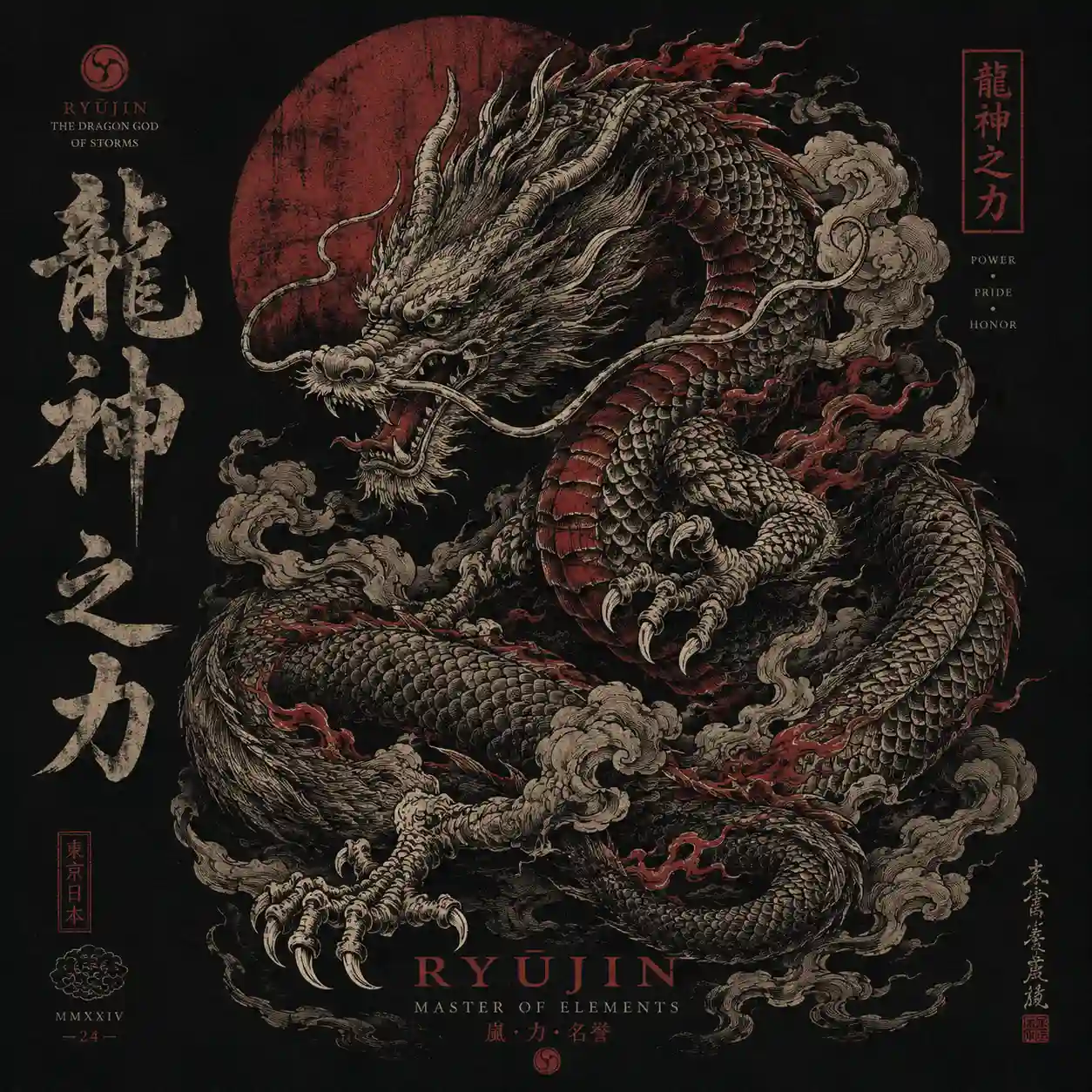
A Japanese dragon stretching across the back of an oversized black tee creates a very different look from a small samurai illustration printed over the chest. Both use Asian-inspired artwork, but the subject, scale and placement change how the finished T-shirt feels.
That difference matters when creating Asian Art T-shirt Designs with AI. A striking illustration does not automatically make a good apparel graphic. The artwork needs to suit the garment, retain its important details at the intended print size, and work with the colour of the fabric.
Tools such as Midjourney, Leonardo AI, Adobe Firefly and Flux can help generate ideas for streetwear graphics, from traditional ink illustrations to futuristic urban scenes. The result depends heavily on how clearly you describe the subject, artistic influence, composition and colour palette.
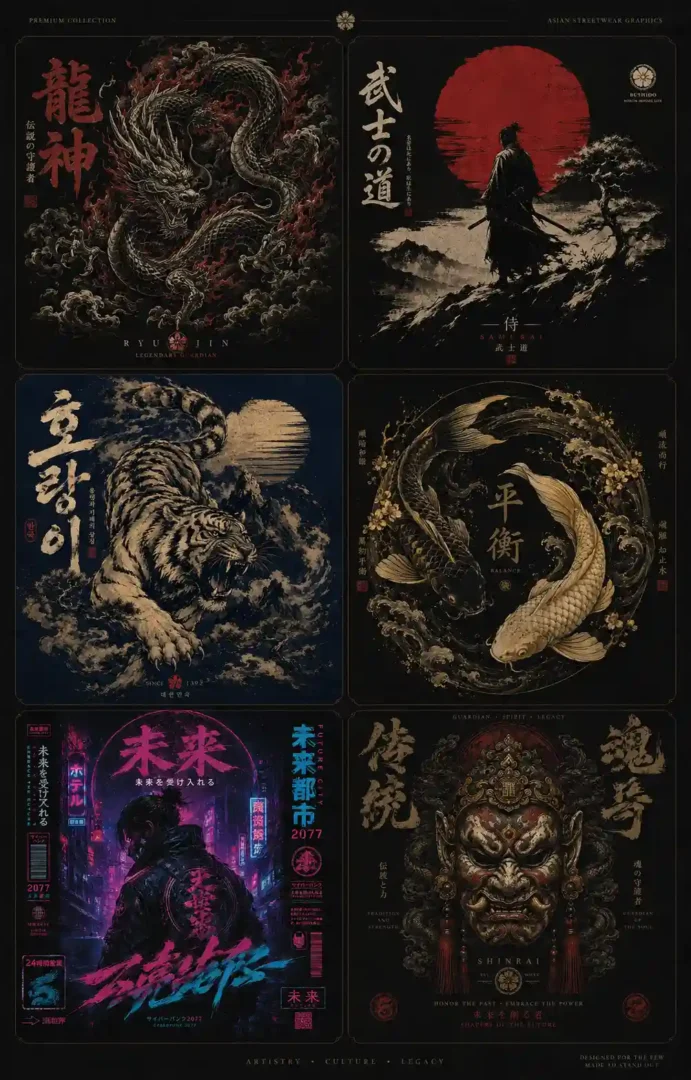
The six prompts below cover different styles of Asian-inspired streetwear. Each one provides a starting point for creating a design, whether you are developing graphics for your own wardrobe, testing ideas for a clothing brand or preparing concepts for an online apparel store.
Before Writing the Prompt, Think Like a Fashion Brand
A common mistake when generating T-shirt artwork is asking for too many things at once. A dragon, several symbols, elaborate lettering, smoke, decorative borders and multiple colours may look interesting in a prompt, but the resulting image can become difficult to read on a T-shirt.
Start by deciding what the design needs to communicate. A single warrior beneath a red sun creates a different impression from a detailed dragon surrounded by smoke. Neither approach requires the same composition or amount of detail.
Before generating the artwork, consider these four questions:
- What should dominate visually?
- Should the design feel calm or aggressive?
- Is the artwork meant for front print or oversized back print?
- Is the mood luxury, vintage, cyberpunk, or traditional?
Those choices shape the final design far more than effects do.
It also helps to decide on the garment colour before generating the artwork. Black ink on a black T-shirt can disappear, while pale details may lose their definition against an off-white fabric. Keeping the intended garment in mind from the beginning makes it easier to judge whether a generated design will work outside the image preview.6 Powerful Asian Art T-Shirt Design AI Prompts
Japanese Dragon Streetwear Design
Prompt:
“Create a premium oversized streetwear T-shirt graphic featuring a powerful Japanese dragon wrapped dynamically across the composition, detailed traditional ink illustration style, flowing smoke elements, sharp claws, elegant linework, muted black and deep crimson palette, balanced negative space, vintage fabric print texture, luxury streetwear aesthetic, centered composition, ultra detailed apparel graphic design, aspect ratio [AR]”
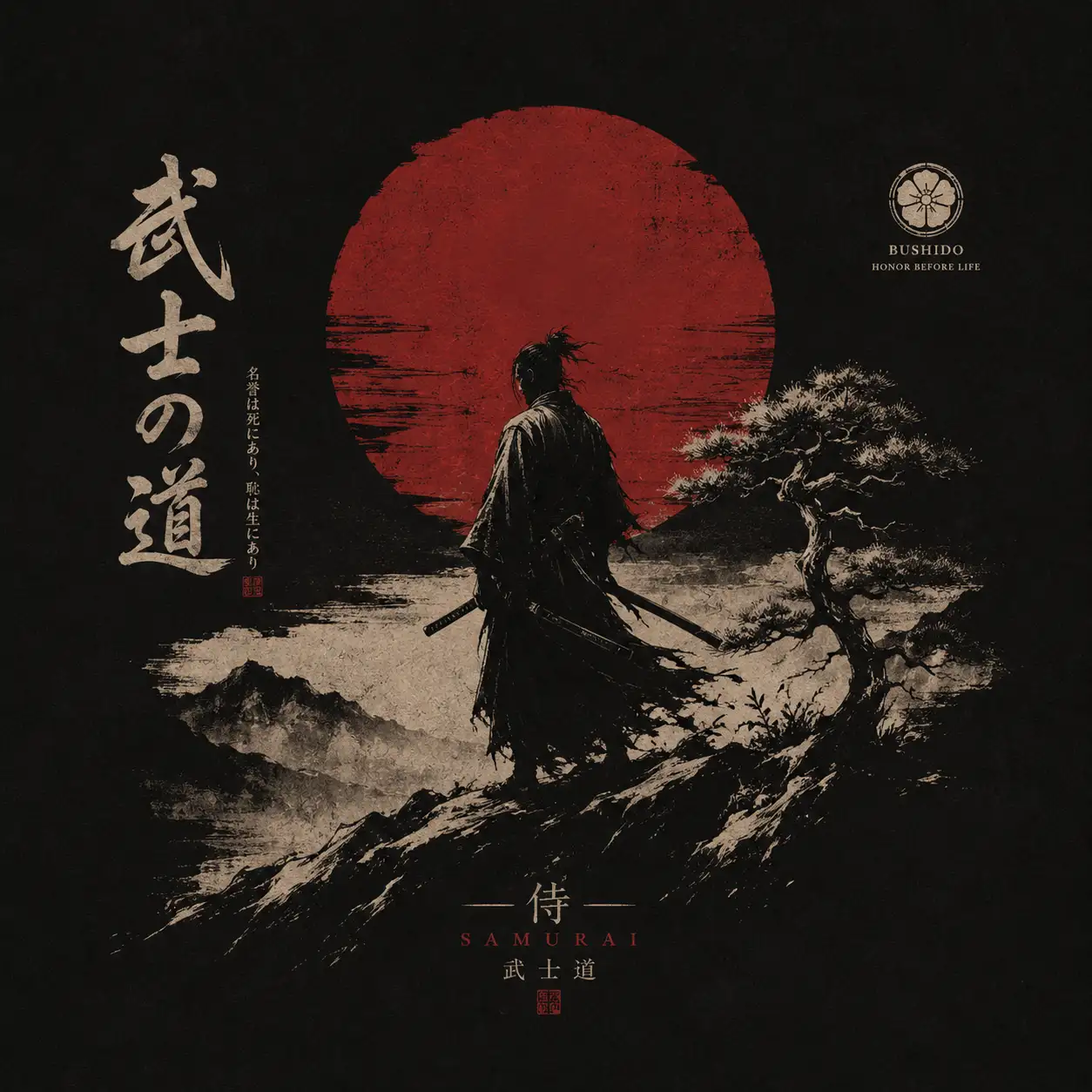
Samurai Minimal Poster Tee
Prompt:
“Create a minimalist Japanese samurai T-shirt design featuring a lone warrior silhouette standing beneath a large red sun, subtle ink brush textures, refined composition, soft distressed print effect, monochrome black and off-white palette with deep red accents, modern luxury streetwear aesthetic, balanced spacing, premium graphic placement, aspect ratio [AR]”
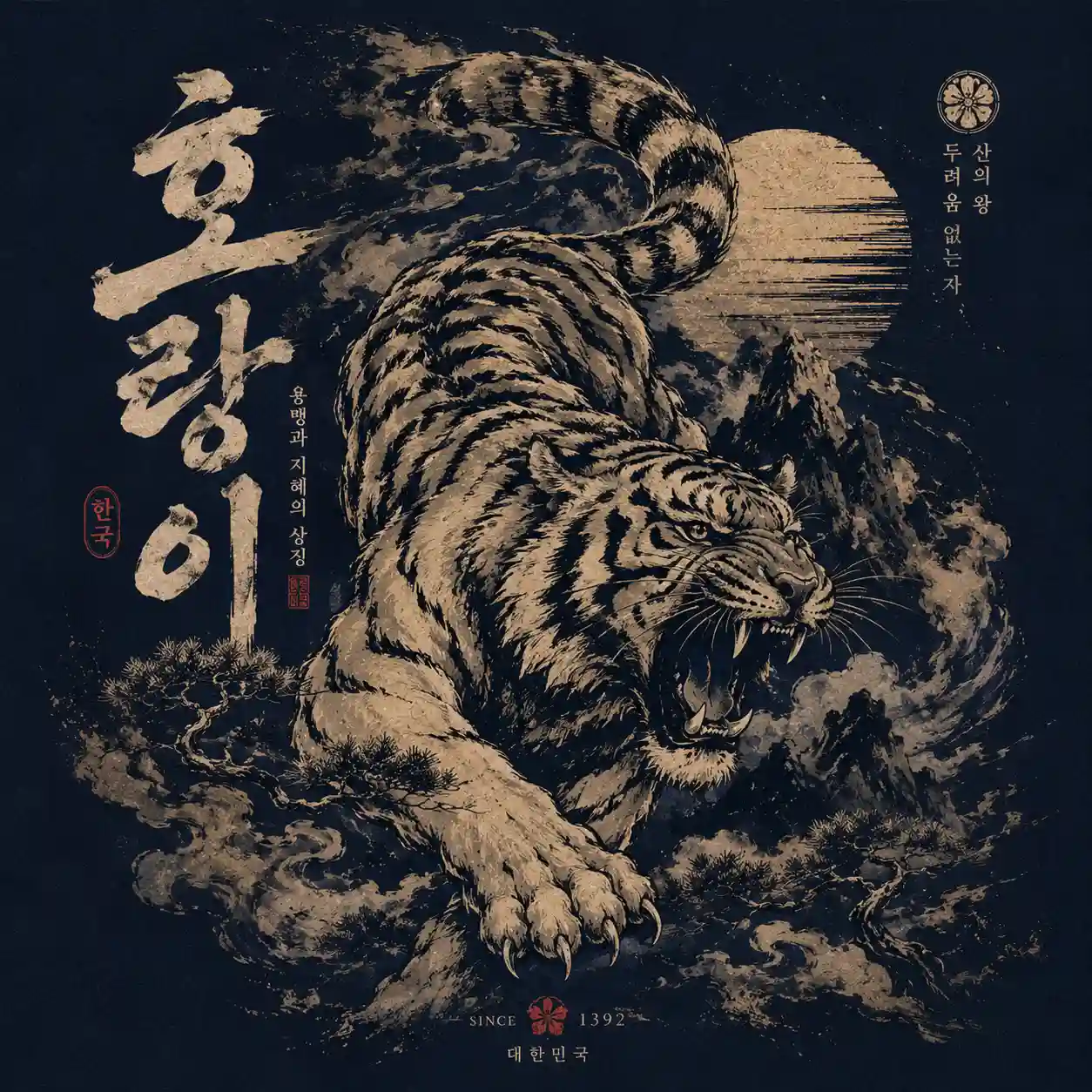
Korean Tiger Graphic Tee
Prompt:
“Create a bold Korean-inspired tiger illustration for a premium streetwear T-shirt, dynamic roaring tiger pose, traditional Korean art influence mixed with modern graphic design, strong brushstroke textures, deep navy and cream palette, oversized back-print composition, vintage ink detail, high-fashion apparel aesthetic, aspect ratio [AR]”
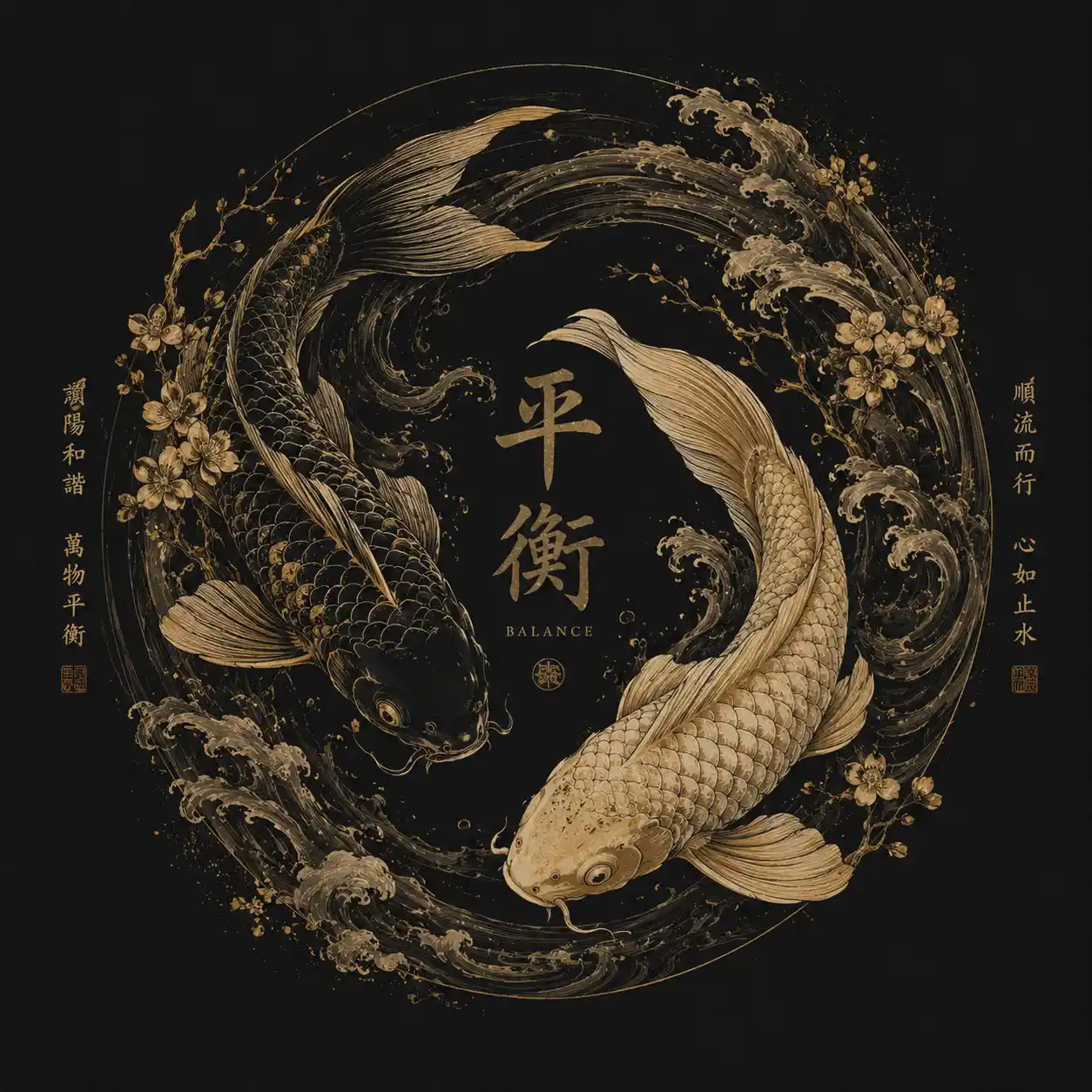
Chinese Koi Fish Flow Design
Prompt:
“Create an elegant Chinese koi fish T-shirt artwork with flowing water motion, detailed traditional Asian illustration style, balanced circular composition, soft gold and black palette, subtle wave textures, luxury minimal apparel graphic aesthetic, refined negative space, premium print-ready fashion design, aspect ratio [AR]”
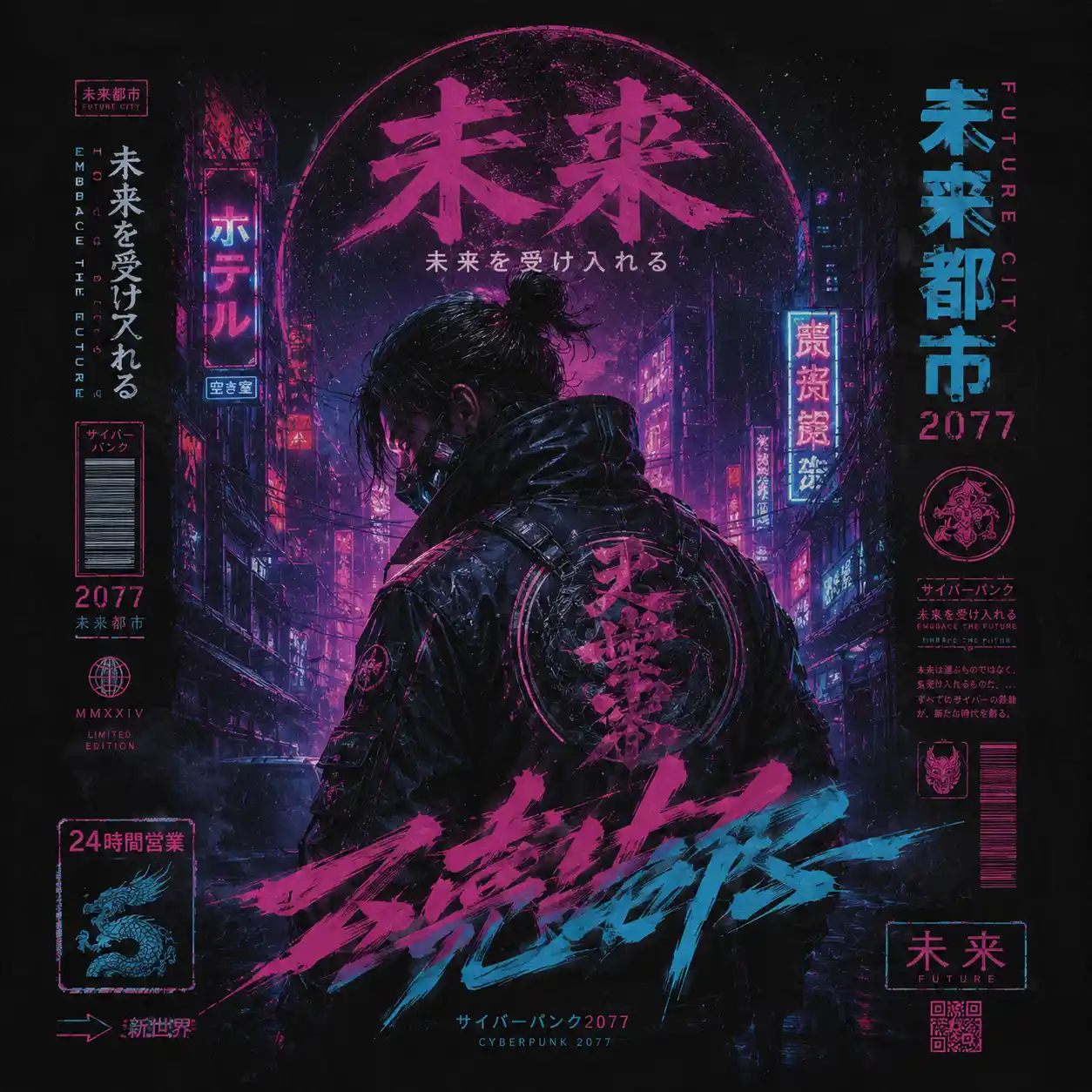
Cyberpunk Asian Neon Tee
Prompt:
“Create a futuristic Asian cyberpunk T-shirt design featuring a neon-lit alley atmosphere, masked character, glowing signage, layered futuristic typography, electric magenta and cyan highlights, dark urban mood, cinematic streetwear aesthetic, oversized fashion graphic composition, ultra detailed apparel design, aspect ratio [AR]”
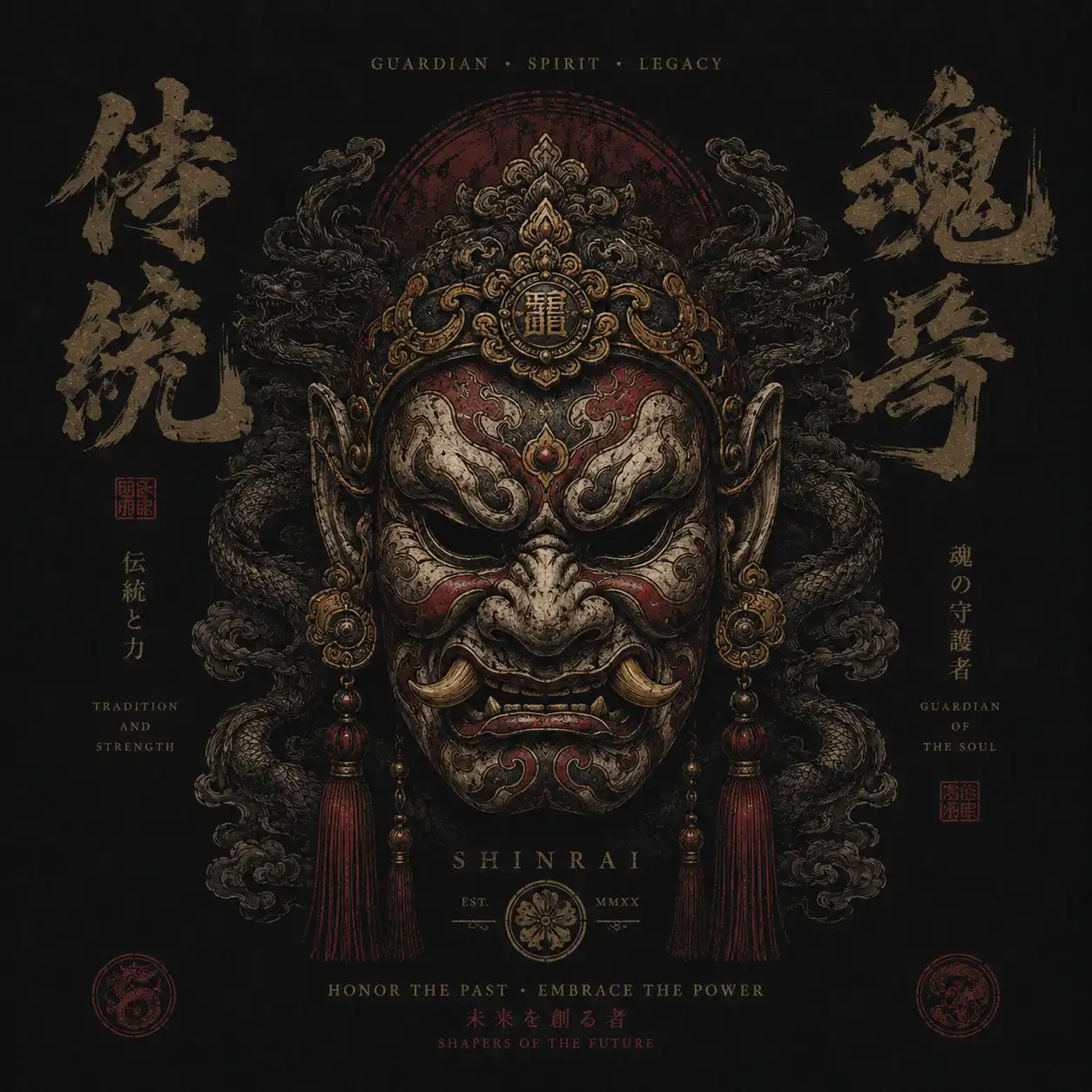
Traditional Asian Mask Design
Prompt:
“Create a premium T-shirt graphic featuring a traditional Asian ceremonial mask with dramatic shadows, intricate ornamental detailing, balanced symmetrical composition, dark textured background, vintage ink print effect, luxury streetwear branding aesthetic, high-detail illustration, modern fashion-ready apparel design, aspect ratio [AR]”
How to Prepare AI-Generated T-Shirt Artwork for Printing
AI artwork can look impressive on screen and still fall short when printed on a T-shirt. Fine lines may disappear, colours can look different on fabric, and a graphic that looks balanced on a square canvas might not sit properly on an oversized tee. A few checks before printing can save you from these problems.
What to Check Before Turning AI Artwork into a T-Shirt Print
Size the Graphic for the Actual T-Shirt
A small chest graphic needs a different layout from a large back print. Before finalising the artwork, decide where it will sit and check its proportions against the actual T-shirt design.
For an oversized back print, use a mockup of the garment rather than relying on the original image alone. Pay attention to the width, height and position of the main subject. A dragon with a long, flowing body, for instance, may suit a vertical layout better than a square one.
Get Rid of the Background Without Losing the Artwork
AI generators often include background elements that look good in an image but do not belong on a T-shirt. If you want the artwork to blend into the fabric, prepare a version with a transparent background. Take care not to remove fine brushstrokes, smoke or other details that form part of the illustration.
Will the Fine Lines Survive the Printing Process?
Zoom in on the artwork and look at the details that define the design. Dragon scales, thin outlines, distressed textures and small decorative marks can merge or disappear when reduced to the final print size.
The printing method matters, too. Screen printing and direct-to-garment printing handle fine details and colours differently. Ask your printer about the minimum line thickness and file requirements before preparing the final artwork.
Choose Ink Colours That Work with the Fabric
Always preview the graphic against the colour of the T-shirt you intend to use. Black artwork may lose definition on dark fabric, while pale details can disappear against cream or light grey. Adjust the contrast before sending the design to print.
Gold deserves particular attention. A gold colour in an AI-generated image usually looks metallic because of its shading, not because it contains metallic material. If you want an actual metallic finish, check whether your printer offers metallic inks or other suitable printing options.
Get the Print File and Usage Rights in Order
Before placing an order, confirm the required image dimensions, resolution, colour settings, transparency and file format with your printer. Also check the commercial-use terms of your chosen AI image generator. If the artwork includes fonts, reference assets or other third-party elements, review their licences before selling the finished product.
If you plan to sell the T-shirts, order one sample first. Check how the print feels, whether the details remain visible and whether the placement looks right when someone wears the garment. A mockup cannot tell you everything about the finished product.
Choosing the Right Graphic for Your Streetwear Collection
Each of the six designs offers a different starting point for a streetwear collection:
- Japanese dragon: Suits large back prints with flowing shapes, detailed scales and strong movement.
- Samurai: Works well when you want a recognisable silhouette and a limited colour palette.
- Korean tiger: Offers an opportunity to use expressive features and visual references from Korean folk painting.
- Chinese koi fish: Provides a more flowing composition built around fish, water and curved forms.
- Cyberpunk: Brings neon colours, futuristic characters and urban imagery into the collection.
- Traditional mask: Creates a strong focal point through facial details, shadows and ornamental patterns.
For a collection, you do not need to use all six styles at once. Pick two or three that share a visual element. A dragon and a mask, for example, could use the same black-and-crimson palette and distressed ink treatment. Their subjects would differ, but the artwork would still feel connected.
From AI Image to Wearable Streetwear
The difference between an interesting AI image and a usable T-shirt graphic comes down to how well the artwork fits the garment. A detailed illustration may look impressive on screen, but the same design needs clear shapes, suitable contrast and the right proportions to work as a print.
Start with one of the six prompts and generate a few variations. Compare the main subject, composition and colour balance before spending time refining small details. Once you have a design that fits your intended style, prepare the file according to your printer’s specifications and review a physical sample.
If you are building a streetwear brand, pay attention to what connects the designs. Consistent colours, related illustration techniques and carefully chosen cultural references can help a collection develop its own identity without making every T-shirt look the same.