Gradient Map Effect with AI Prompts: Control Color Like a Cinematic System
The Gradient Map Effect feels simple at first. However, the moment you use it with intention, everything shifts. Instead of tweaking colors piece by piece, you define how the entire tonal range behaves. As a result, shadows, midtones, and highlights start working together instead of competing.
Moreover, this is where AI prompts quietly change the workflow. Rather than guessing adjustments, you describe how tone should translate into color. Consequently, the image doesn’t feel edited—it feels directed.
At the same time, tools like ChatGPT image generation, Nano Banana, and Flux make execution smoother. Still, the outcome depends on clarity. Therefore, the better the prompt, the more controlled the result.Gradient Map Effect AI Prompts (High Precision)
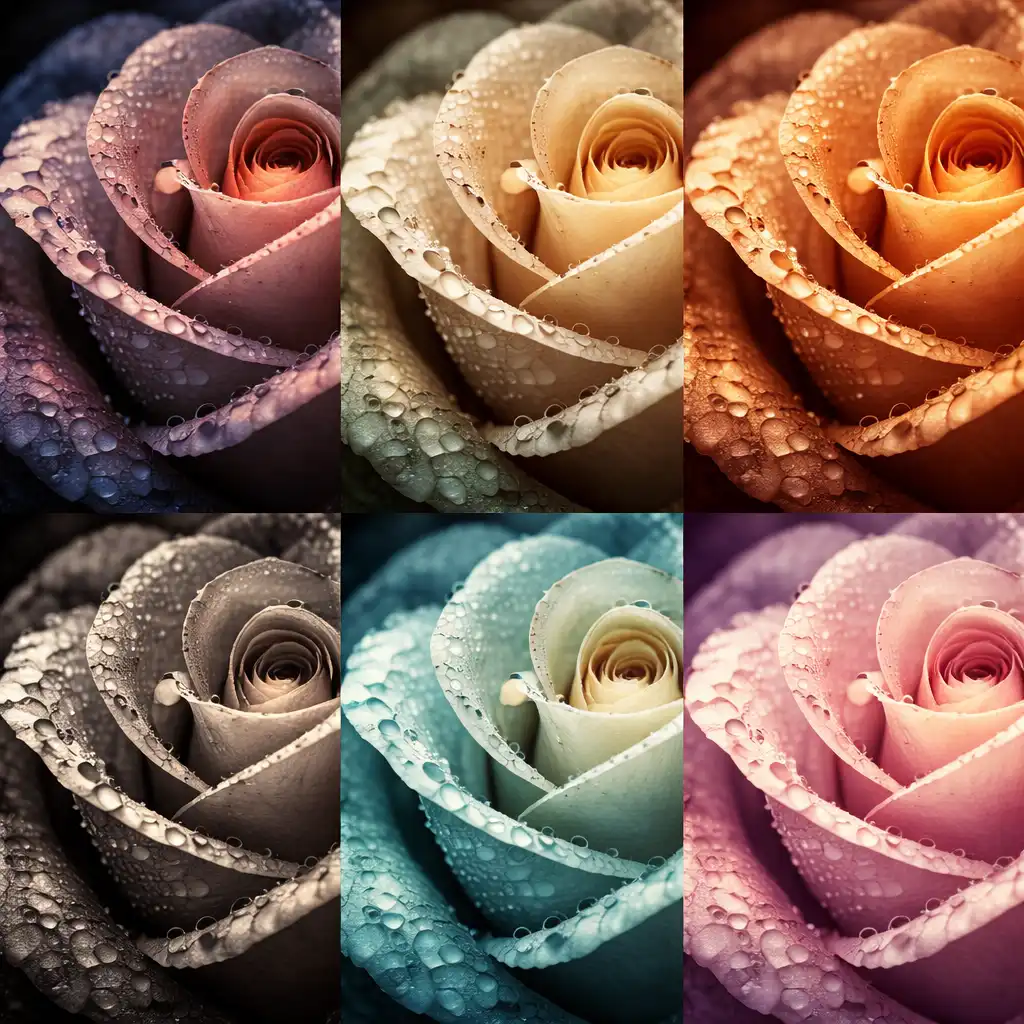
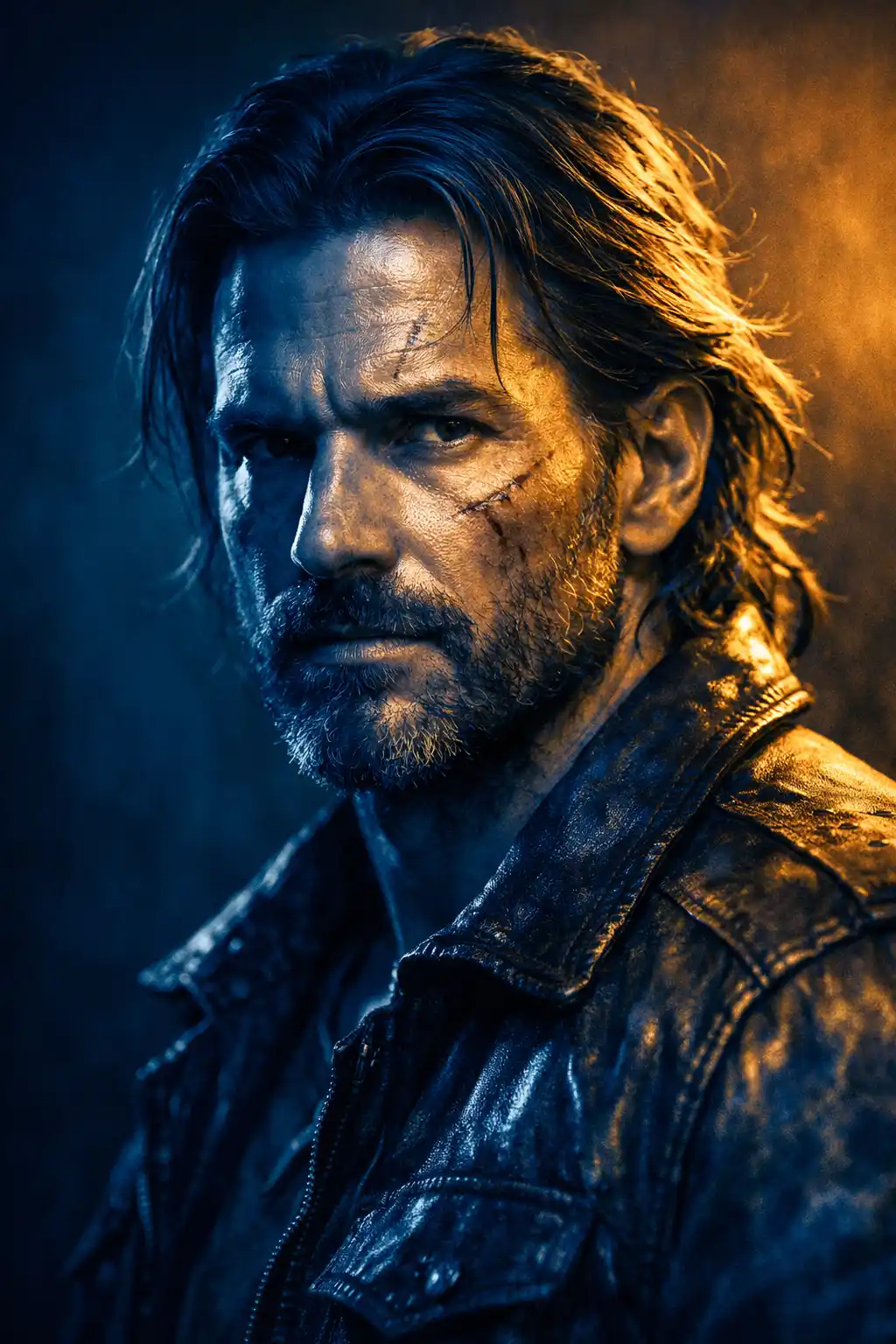
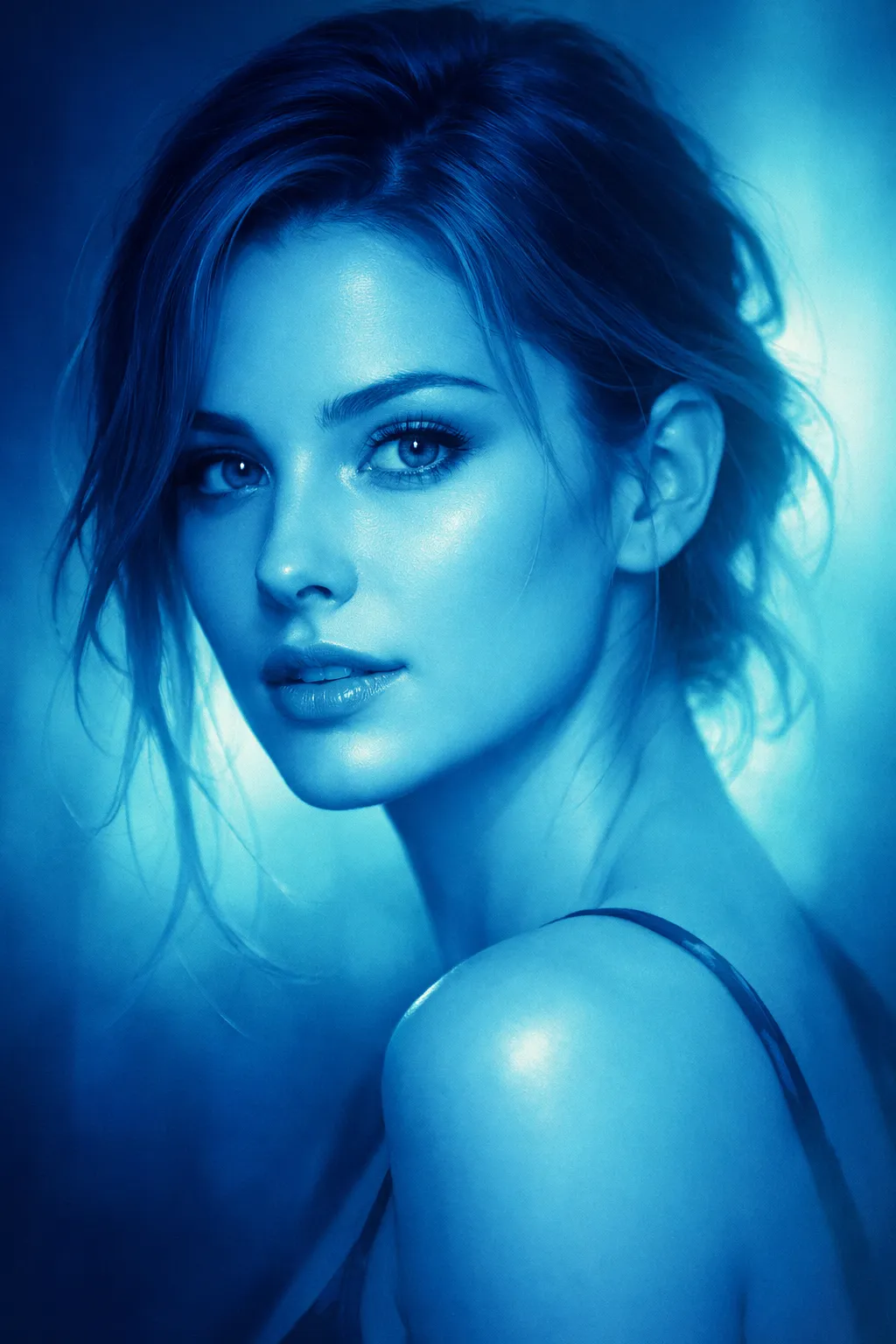
Use the uploaded image as base, apply Gradient Map Effect mapping shadows to deep cool blue, midtones to neutral soft gray, highlights to warm golden tones, preserve fine surface texture detail, maintain smooth tonal transitions, enhance directional lighting across contours, subtle depth separation from background, cinematic realism, aspect ratio [AR] Soft Detail Tone Control Prompt:
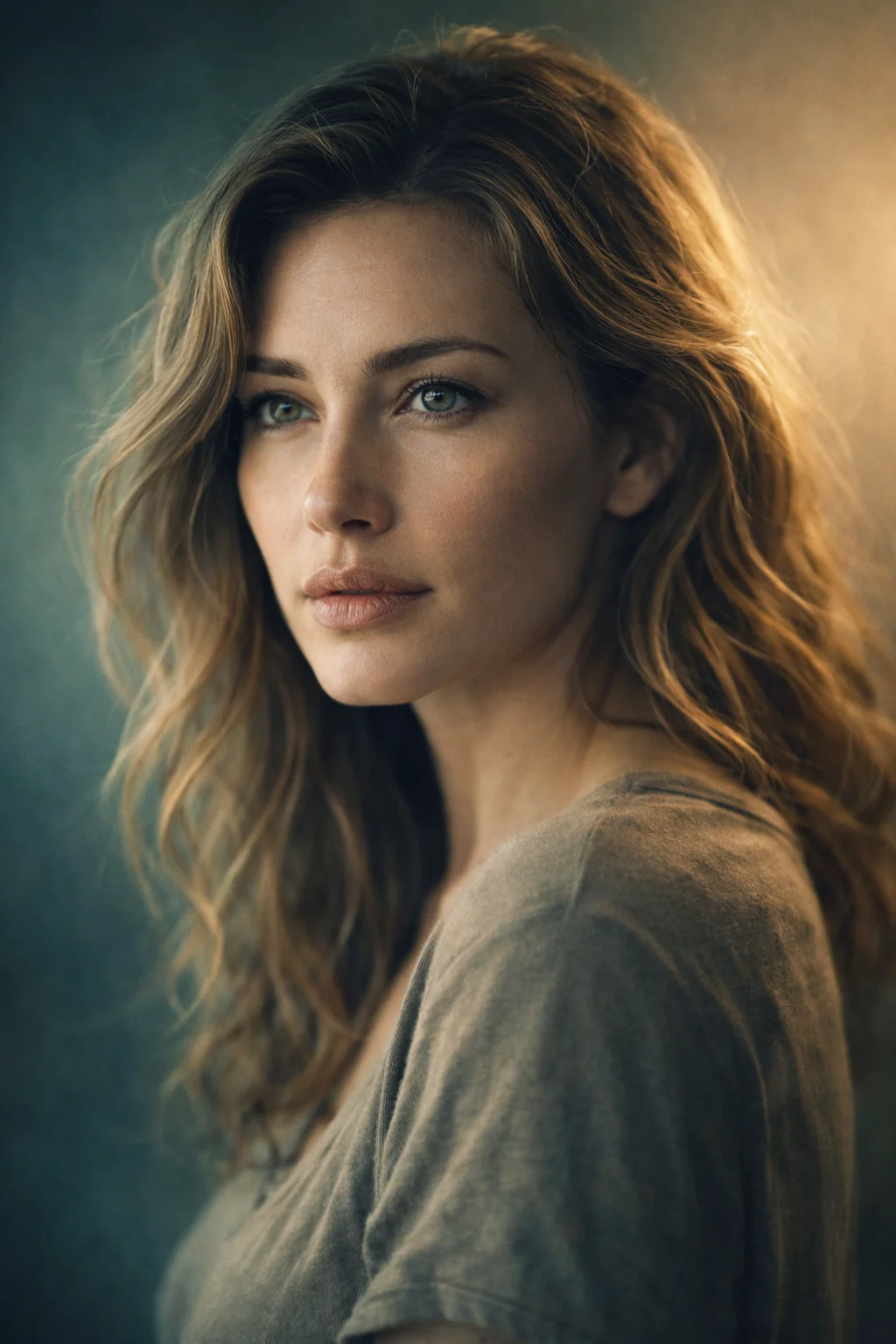
Use the uploaded image as reference, apply Gradient Map Effect mapping shadows to muted teal, midtones to soft earthy beige, highlights to warm cream, preserve layered detail structure, smooth tonal blending across surfaces, maintain natural light falloff, enhance depth without oversaturation, calm cinematic tone, aspect ratio [AR] Warm Natural Balance Prompt:
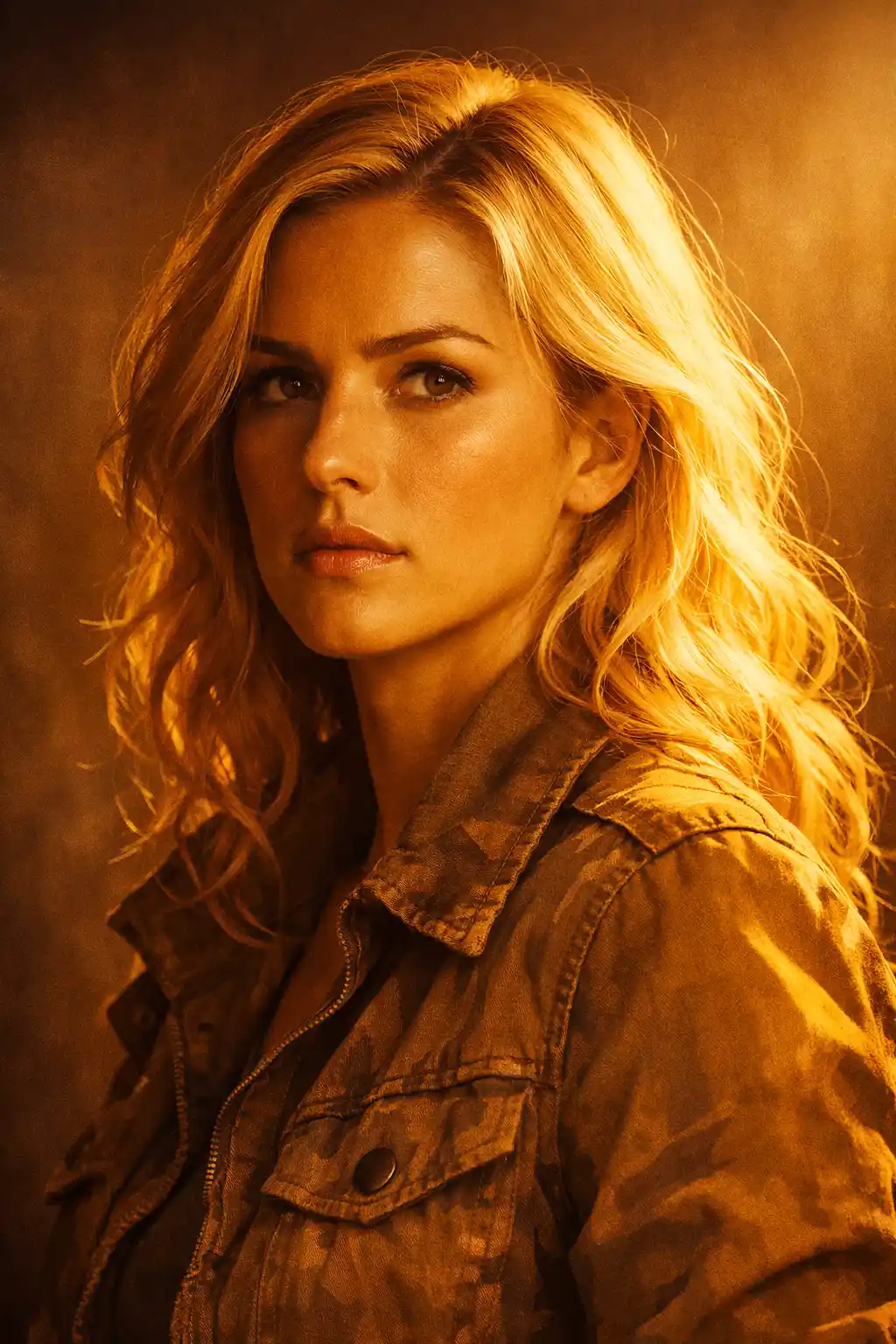
Use the uploaded image as subject, apply Gradient Map Effect mapping shadows to soft brown undertones, midtones to warm neutral tan, highlights to golden amber, maintain form definition through tonal contrast, preserve natural gradients across surfaces, enhance light direction, cinematic warmth with realism, aspect ratio [AR] High Contrast Focus Prompt:
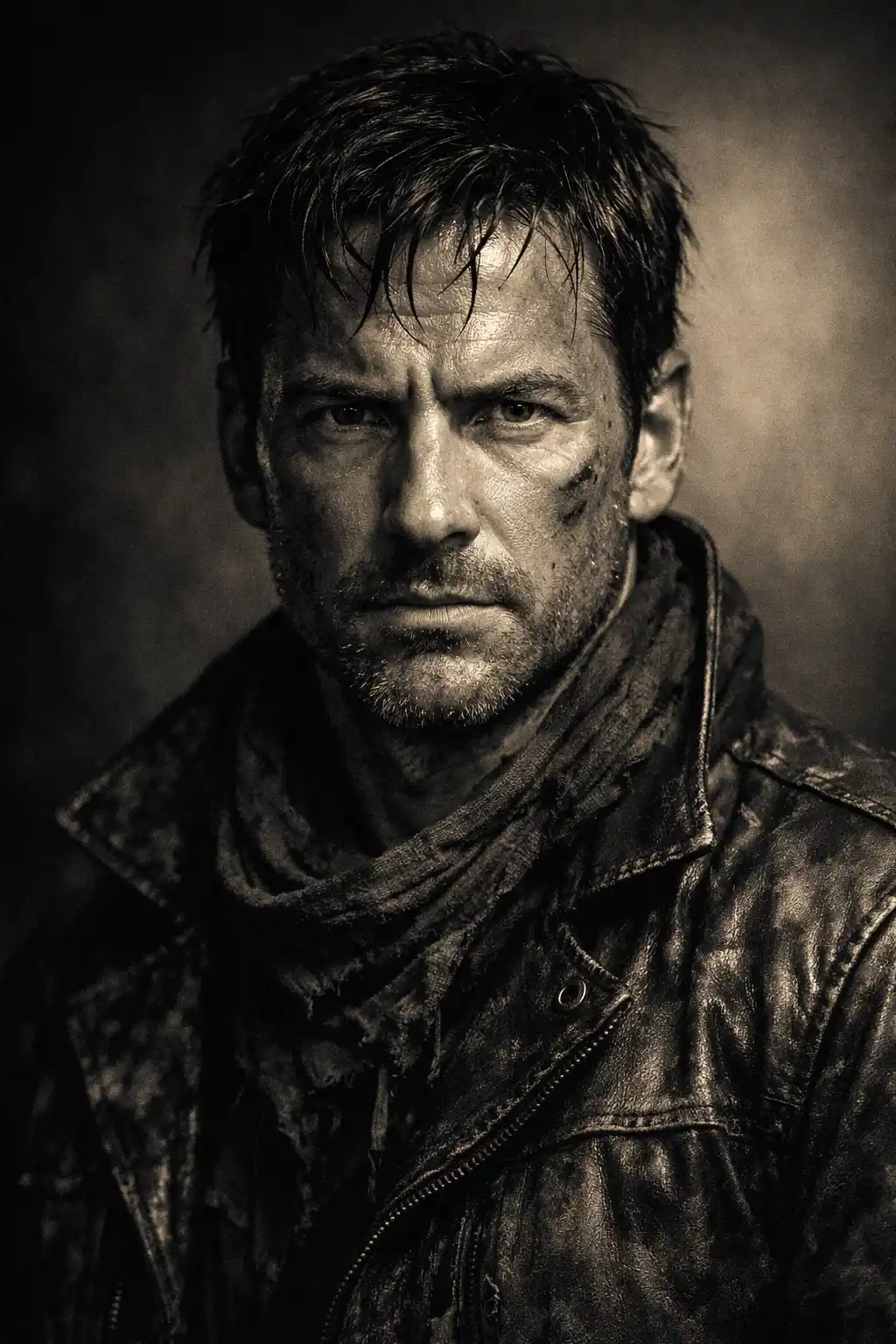
Use the uploaded image as base, apply Gradient Map Effect mapping shadows to deep charcoal, midtones to desaturated warm gray, highlights to soft pale gold, strong but controlled contrast, preserve surface texture clarity, isolate subject with subtle tonal separation, cinematic intensity, aspect ratio [AR] Subtle Cool Atmosphere Prompt:
Use the uploaded image as reference, apply Gradient Map Effect mapping shadows to deep blue, midtones to soft teal, highlights to pale aqua light, preserve smooth reflective transitions, enhance depth perception, maintain fluid tonal blending, atmospheric cinematic tone, aspect ratio [AR] Delicate Micro Contrast Prompt:
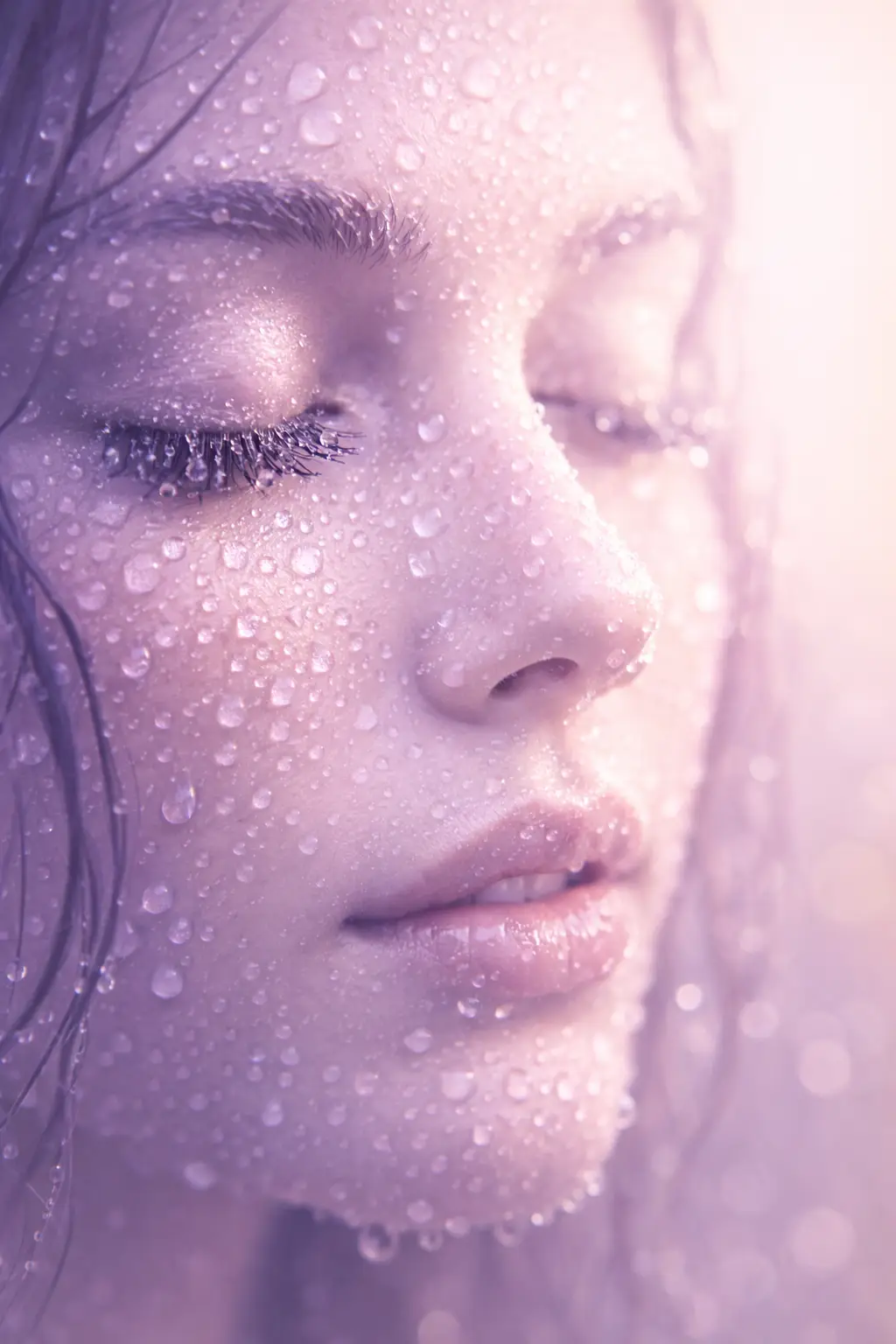
Use the uploaded image as subject, apply Gradient Map Effect mapping shadows to soft violet, midtones to muted neutral tones, highlights to light pastel glow, preserve fine detail structure, enhance subtle contrast without harsh edges, maintain softness and clarity, cinematic macro feel, aspect ratio [AR]

I’m Manas Ranjan Behera, a professionally and academically trained creative designer and creator, AI Visual Strategist, and the creator of PortrayMedia. My work sits at the intersection of creative design, visual communication, advertising, digital marketing, branding, and generative AI.
I have spent years working with visual communication and creative design, with a strong focus on turning ideas into visuals that have a clear purpose. As AI image and video generation became part of the creative workflow, I began using AI prompting for more than experimentation. I started applying it to real creative and business requirements, including marketing concepts, brand assets, advertising creatives, visual storytelling, and B2B communication.
One thing became clear to me through that process: knowing how to use an AI tool is different from knowing what to ask it to create.
A strong prompt is not simply a long description. It is a way of communicating visual intent. Composition, perspective, lighting, subject, environment, movement, mood, brand personality, and storytelling all influence the final result.
That thinking led me to create PortrayMedia.
PortrayMedia is built around practical AI image and video creation rather than complicated prompt formulas. I share prompts, creative concepts, visual techniques, and ideas that can be adapted for real-world design and marketing work.
My approach comes from a designer’s perspective. I don’t judge an AI-generated visual only by whether it looks impressive. I also ask whether it communicates the intended message, fits the brand, supports the campaign, and solves the creative problem.
My experience with AI prompting has grown through commercial and B2B creative work, where visuals often need to explain a product, establish a brand personality, support advertising, or make complex ideas easier to understand.
I believe AI should support creative thinking, not replace it. The technology can generate the visual, but the human still decides what should exist, why it should exist, and whether it actually works.
Through PortrayMedia, my goal is to make AI visual creation more practical and accessible while keeping the most important part of the creative process in human hands — the idea.
Areas of Expertise
Graphic Design
Advertising
AI Image Generation
AI Video Generation
Prompt Engineering
Visual Storytelling
Branding
Motion Graphics
Creative Direction
Visual Communication
Commercial Creative Concepts
Digital Marketing
Professional Experience
My professional background combines creative design, visual communication, digital marketing, advertising, and AI-assisted content creation.
I have worked with visual concepts for business communication and marketing, using design thinking to develop creative assets that are not only visually appealing but also useful for a specific communication goal.
My AI-focused work developed naturally from this design background. Instead of treating generative AI as a separate creative discipline, I use it as part of a broader visual workflow — from developing an initial concept and testing creative directions to producing image and video concepts for marketing and brand communication.
This experience also influences the way I create content for PortrayMedia. The emphasis is on practical application rather than simply showcasing what an AI model can generate.
Tools and Technologies
The tools listed here are included only where they are part of my actual creative workflow and experience.
ChatGPT
Midjourney
Flux
Google Veo
Nano Banana
I use AI tools as creative instruments rather than treating any single platform as the answer to every visual problem. Different tools can produce different strengths in image quality, composition, consistency, motion, editing, and creative experimentation.
What I Teach
I teach AI prompting from a designer’s point of view.
My focus is not on making prompts unnecessarily long. It is on understanding the visual objective and communicating the details that actually influence the result.
Key areas include:
Visual composition
Camera perspective
Lighting
Subject and environment
Creative direction
Image styling
Video movement
Cinematic storytelling
Brand communication
Commercial visual concepts
I also believe experimentation is an important part of learning AI tools.
Change one element. Generate again. Compare the results. Identify what changed. Keep what works.
That process often teaches more about prompting than simply copying a finished prompt.
Why I Created PortrayMedia
I created PortrayMedia because I wanted a practical resource for people who want to use AI creatively without getting buried under complicated prompt formulas.
The website focuses on AI image prompts, AI video prompts, creative concepts, visual techniques, and practical inspiration for designers, marketers, creators, businesses, photographers, filmmakers, and anyone interested in generative visual content.
The ideas cover a wide range of creative work, including portraits, advertising, branding, logos, minimal design, line art, product visuals, fashion, photography, cinematic visuals, and AI video.
The purpose isn’t to encourage people to copy prompts word for word.
The purpose is to help people understand how a visual idea can be communicated to an AI system — and then make that idea their own.
My Approach to AI
I don’t see AI as a replacement for designers or creative thinking.
I see it as another tool on the creative desk.
The technology can generate possibilities extremely quickly. The creative responsibility still belongs to the person using it.
A generated image can be technically impressive and still be completely wrong for a campaign. A simpler visual can sometimes communicate the message much better.
That distinction — between making something impressive and making something useful — is central to how I approach AI visual creation.
Welcome to PortrayMedia
If you’re a designer, marketer, creator, business owner, photographer, filmmaker, or simply curious about generative AI, PortrayMedia is built to give you practical ideas you can actually experiment with.
Find a prompt.
Try it.
Change it.
Break it.
Build something better.
I’m Manas Ranjan Behera, and this is PortrayMedia.